> ## Documentation Index
> Fetch the complete documentation index at: https://knowledge-base.faucetcrypto.com/llms.txt
> Use this file to discover all available pages before exploring further.
# Profile Settings
# How to update my profile?
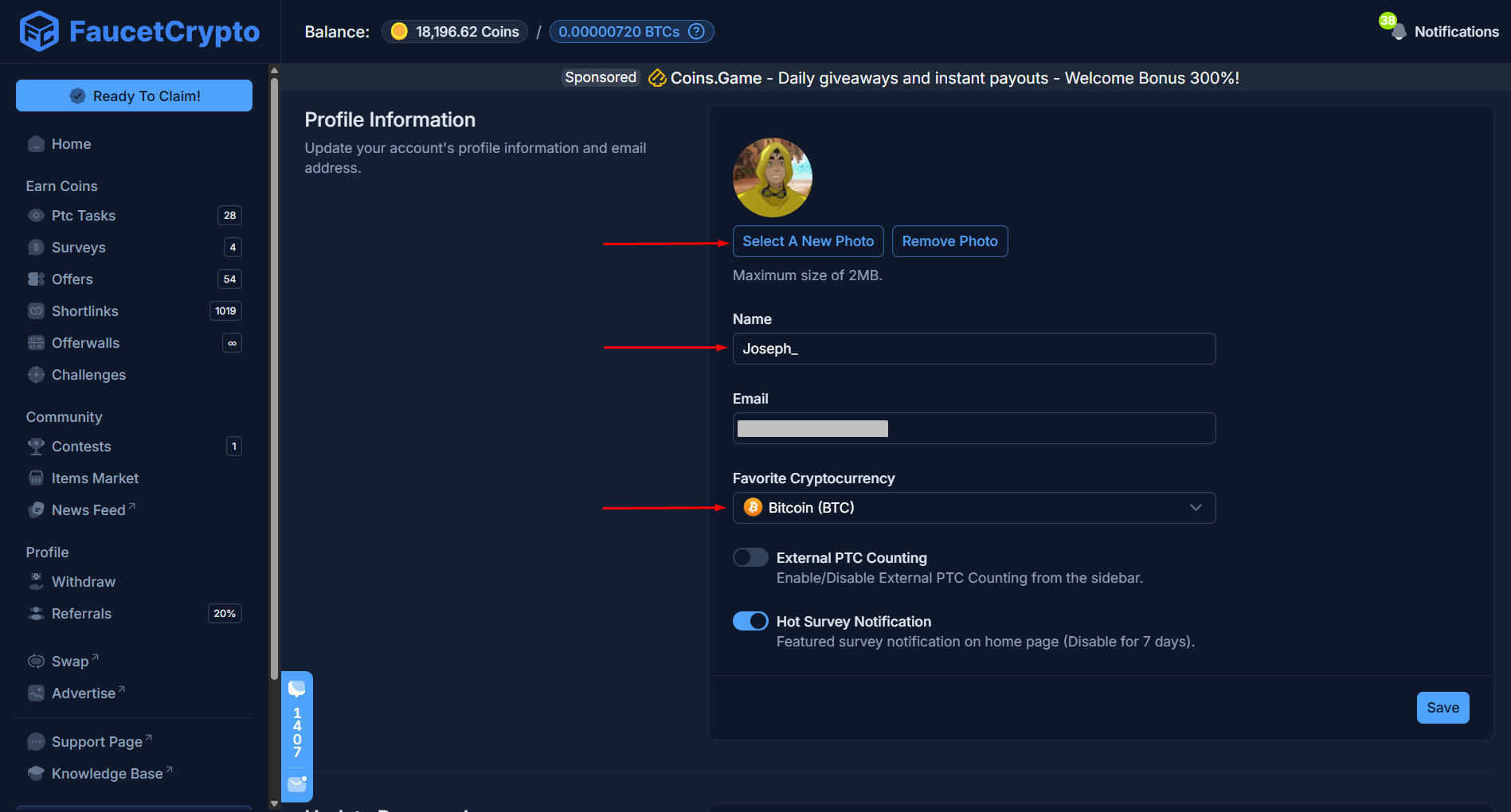
There may be a couple of reasons why you may want to update your profile after signing up. Changing your username, password, favorite cryptocurrency, and securing your account can all be done through your Account Profile settings.
To update your profile:
Sign-in to your **Account**
Click on the icon beside your username at the bottom of the side menu and select "***Account Settings***" to access your Profile page
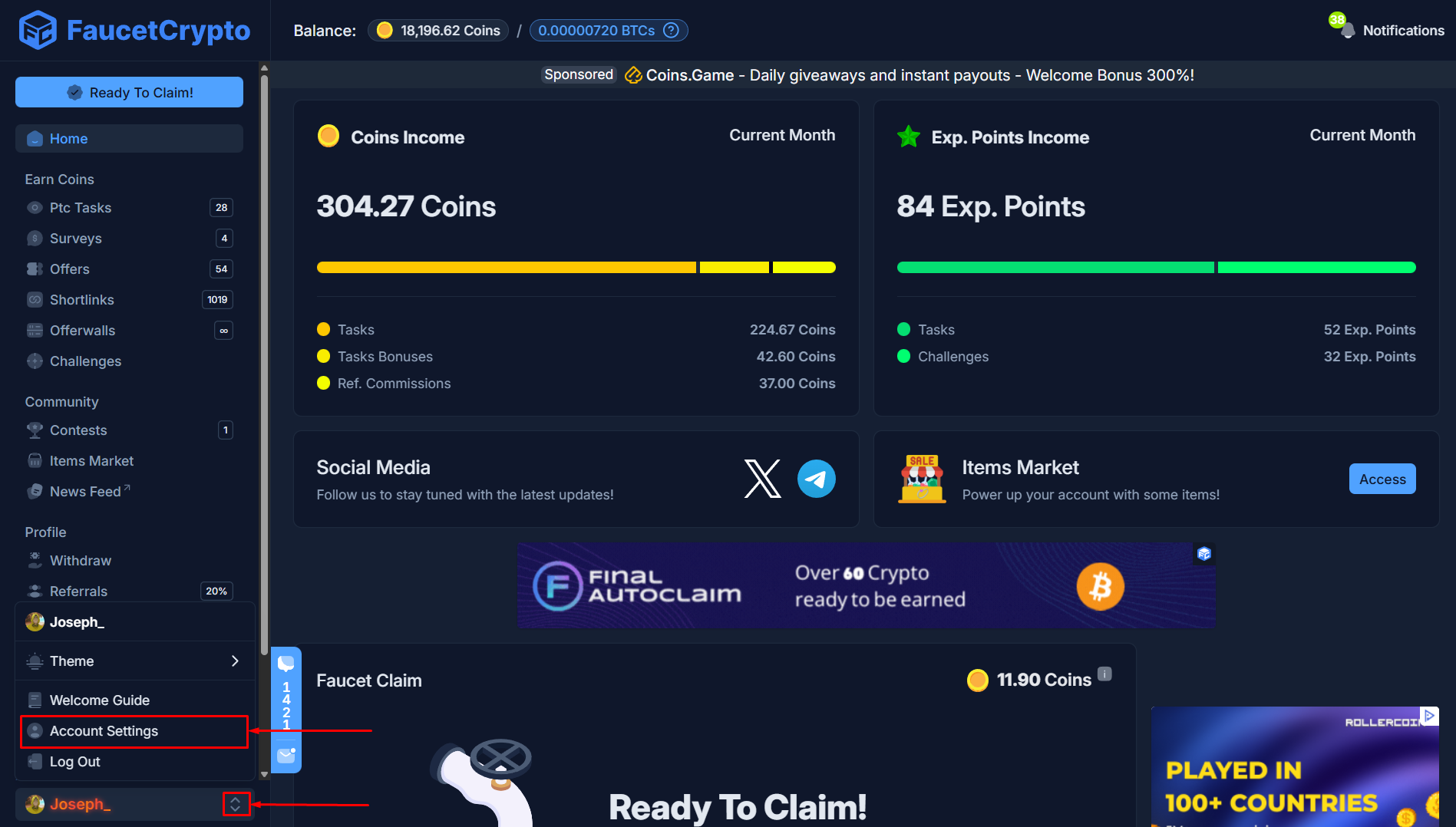 Once it opens, you will find the "***Profile Information***" box. Update the information you wish to, then click "***Save***"
 ***
# Change email
**Yes, you can change your email**. After signing up and confirming, you may have a reason to change your associated email, thus we allow that.
To change your email:
Sign-in to your **Account**
Click on the icon beside your username at the bottom of the side menu and select "***Account Settings***" to access your Profile page
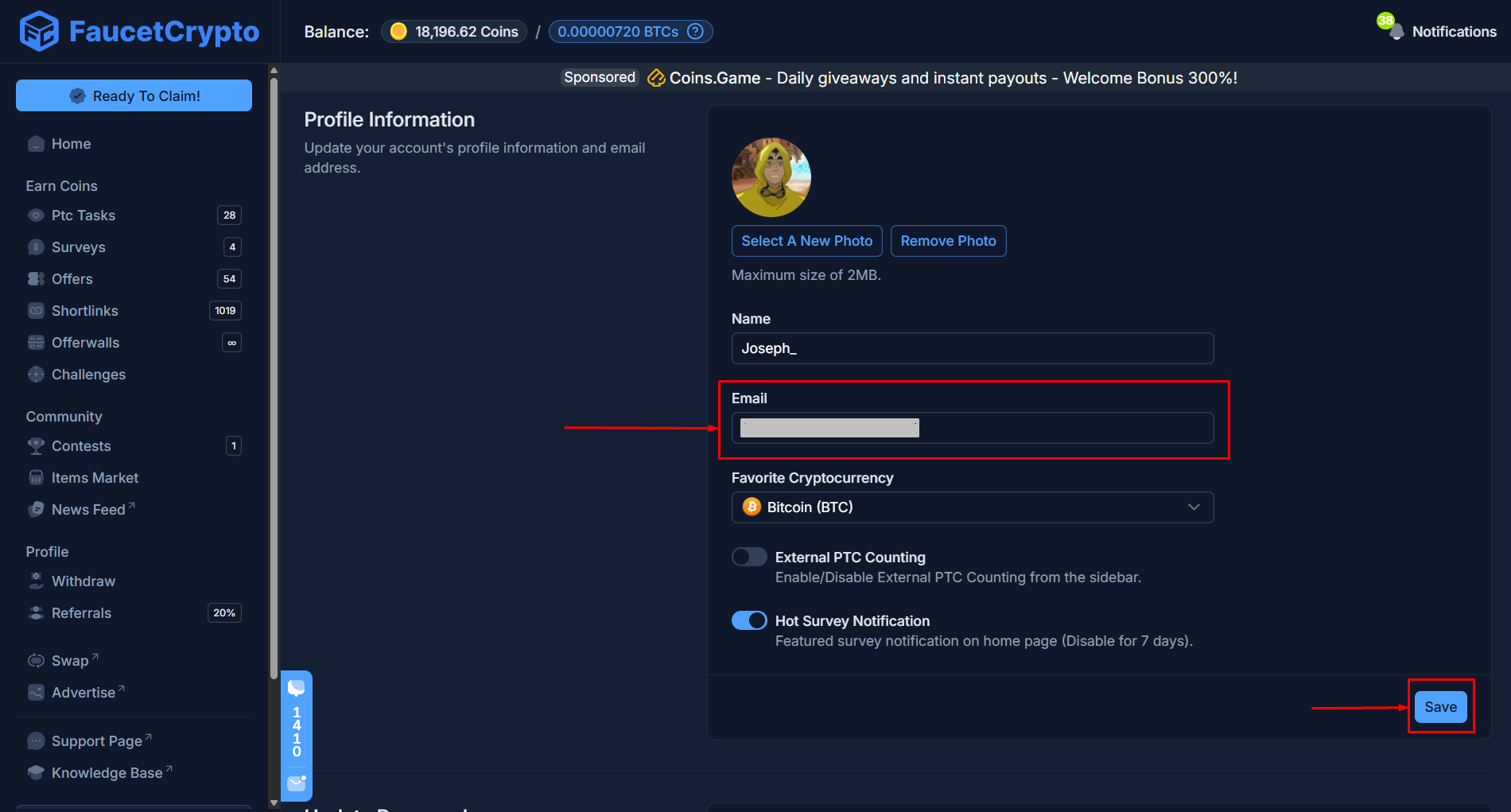
Once it opens, you will find the "***Profile Information***" box. Click the "***Email***" area to clear off and input the new email address you want to change to, then click "***Save***"
***
# Change email
**Yes, you can change your email**. After signing up and confirming, you may have a reason to change your associated email, thus we allow that.
To change your email:
Sign-in to your **Account**
Click on the icon beside your username at the bottom of the side menu and select "***Account Settings***" to access your Profile page
Once it opens, you will find the "***Profile Information***" box. Click the "***Email***" area to clear off and input the new email address you want to change to, then click "***Save***"
 A dialog box will pop up, asking you to reconfirm that everything is correct. **Read the information extremely carefully**. Then click "***Confirm***"
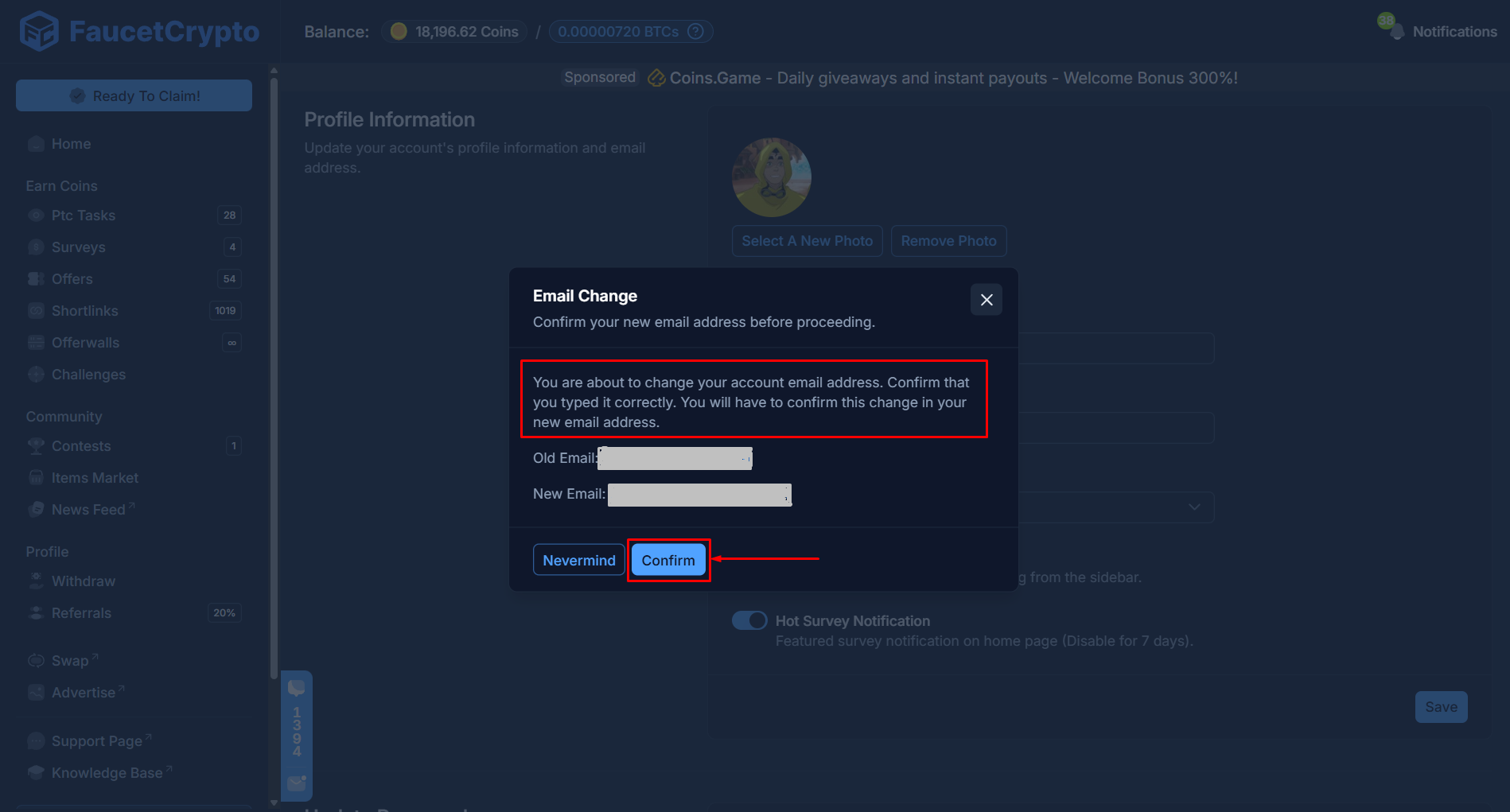 You will have to **confirm this change in your new email**. If you enter the new email address incorrectly, it will not be possible to recover your account.
After confirming, **congratulations**! You have successfully changed your account email. **All future account-related emails will be sent to your newly saved email**.
**Note:** *It is very important that you enter the new email correctly when deciding to change your account email. If you enter the new email address incorrectly, you will NOT be able to recover your account*
***
# Delete Account
**Danger Zone:** *Be careful. Once an account is deleted, it cannot be recovered nor restored again. All Levels, Balances and progress would be permanently deleted. Proceed with caution.*
We are sorry to see you go and would be happier to have you around. But if you wish to delete your account, follow the steps below:
Sign-in to your **Account**
Click on the icon beside your username at the bottom of the side menu and select "***Account Settings***" to access your Profile page
At the **Settings** page, scroll to the bottom to find the "***Delete Account***" box. Read the warning carefully, and click on the red "***Delete Account***" button to delete your account & data permanently
You will have to **confirm this change in your new email**. If you enter the new email address incorrectly, it will not be possible to recover your account.
After confirming, **congratulations**! You have successfully changed your account email. **All future account-related emails will be sent to your newly saved email**.
**Note:** *It is very important that you enter the new email correctly when deciding to change your account email. If you enter the new email address incorrectly, you will NOT be able to recover your account*
***
# Delete Account
**Danger Zone:** *Be careful. Once an account is deleted, it cannot be recovered nor restored again. All Levels, Balances and progress would be permanently deleted. Proceed with caution.*
We are sorry to see you go and would be happier to have you around. But if you wish to delete your account, follow the steps below:
Sign-in to your **Account**
Click on the icon beside your username at the bottom of the side menu and select "***Account Settings***" to access your Profile page
At the **Settings** page, scroll to the bottom to find the "***Delete Account***" box. Read the warning carefully, and click on the red "***Delete Account***" button to delete your account & data permanently
