> ## Documentation Index
> Fetch the complete documentation index at: https://knowledge-base.faucetcrypto.com/llms.txt
> Use this file to discover all available pages before exploring further.
# Offerwalls
# What are Offerwalls?
**Offerwalls** are third-party services that pay users for completing tasks on their page. These are high-paying tasks that can range from watching videos (along with the ads they carry), visiting web pages, filling out surveys, installing apps and signing up for services.
Keep in mind that most tasks available on the Offerwall page (*e.g.* surveys) may be restricted to specific locations. For example, users residing in **USA**, **CANADA**, **AUSTRALIA**, **UK**, **NEW ZEALAND**, and a few **EU** Countries are mostly targeted for survey tasks. Do not fret, you will be notified when they become available for your location.
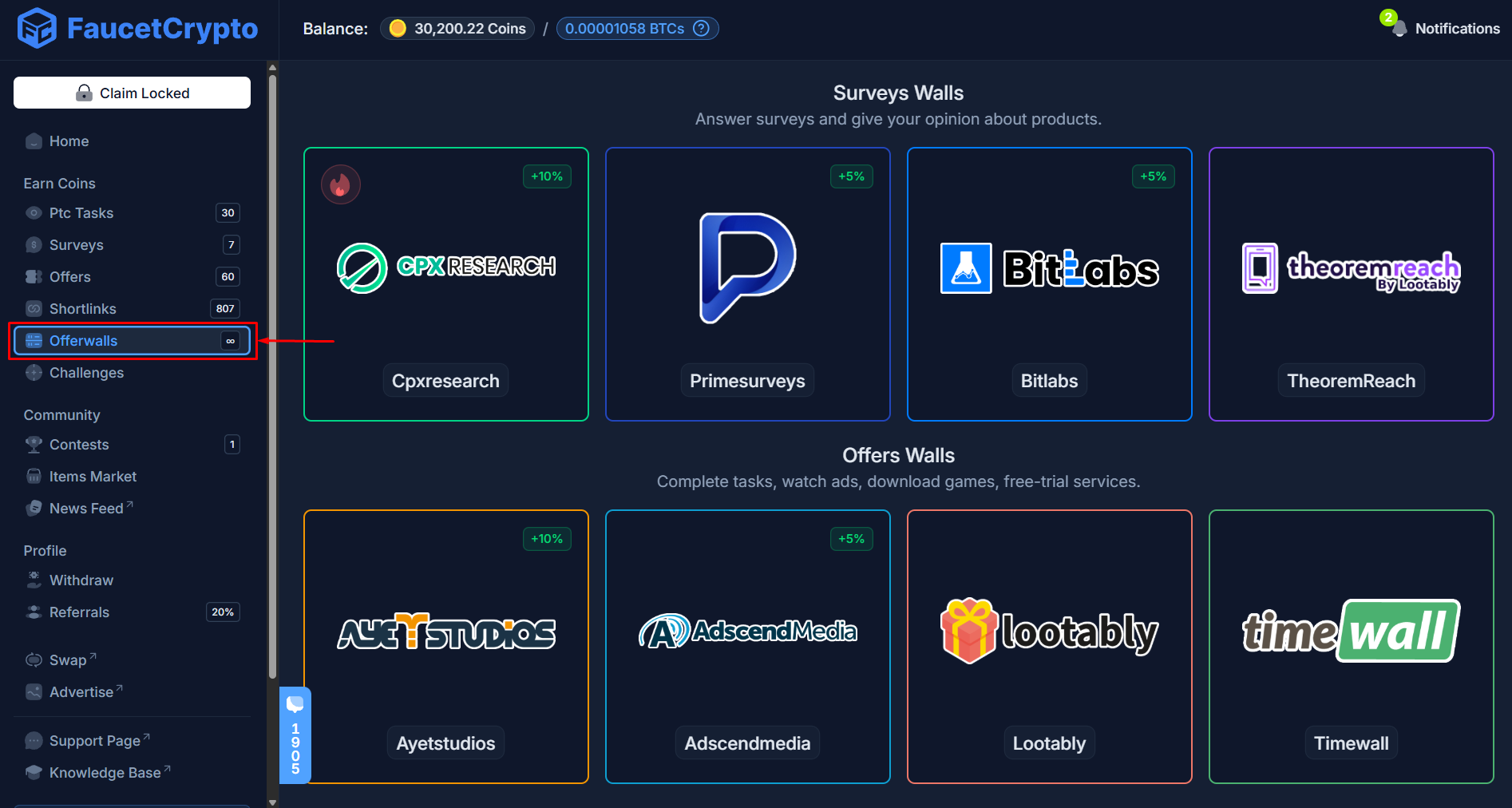 You must be at least *Level 15* to gain access to the Offerwall page.
**Note:** *We cannot control or influence eligibility criteria and the tasks which can be done on Offerwalls*
***
# How to complete Bitcotasks PTC ads successfully
Bitcotasks PTC ads are easy to complete whether on a laptop or a mobile device. Follow this detailed guide on the process:
Sign-in to your **Account**
Click on **Ptc Tasks** in the left-side menu under the **Earn Coins** section
You must be at least *Level 15* to gain access to the Offerwall page.
**Note:** *We cannot control or influence eligibility criteria and the tasks which can be done on Offerwalls*
***
# How to complete Bitcotasks PTC ads successfully
Bitcotasks PTC ads are easy to complete whether on a laptop or a mobile device. Follow this detailed guide on the process:
Sign-in to your **Account**
Click on **Ptc Tasks** in the left-side menu under the **Earn Coins** section
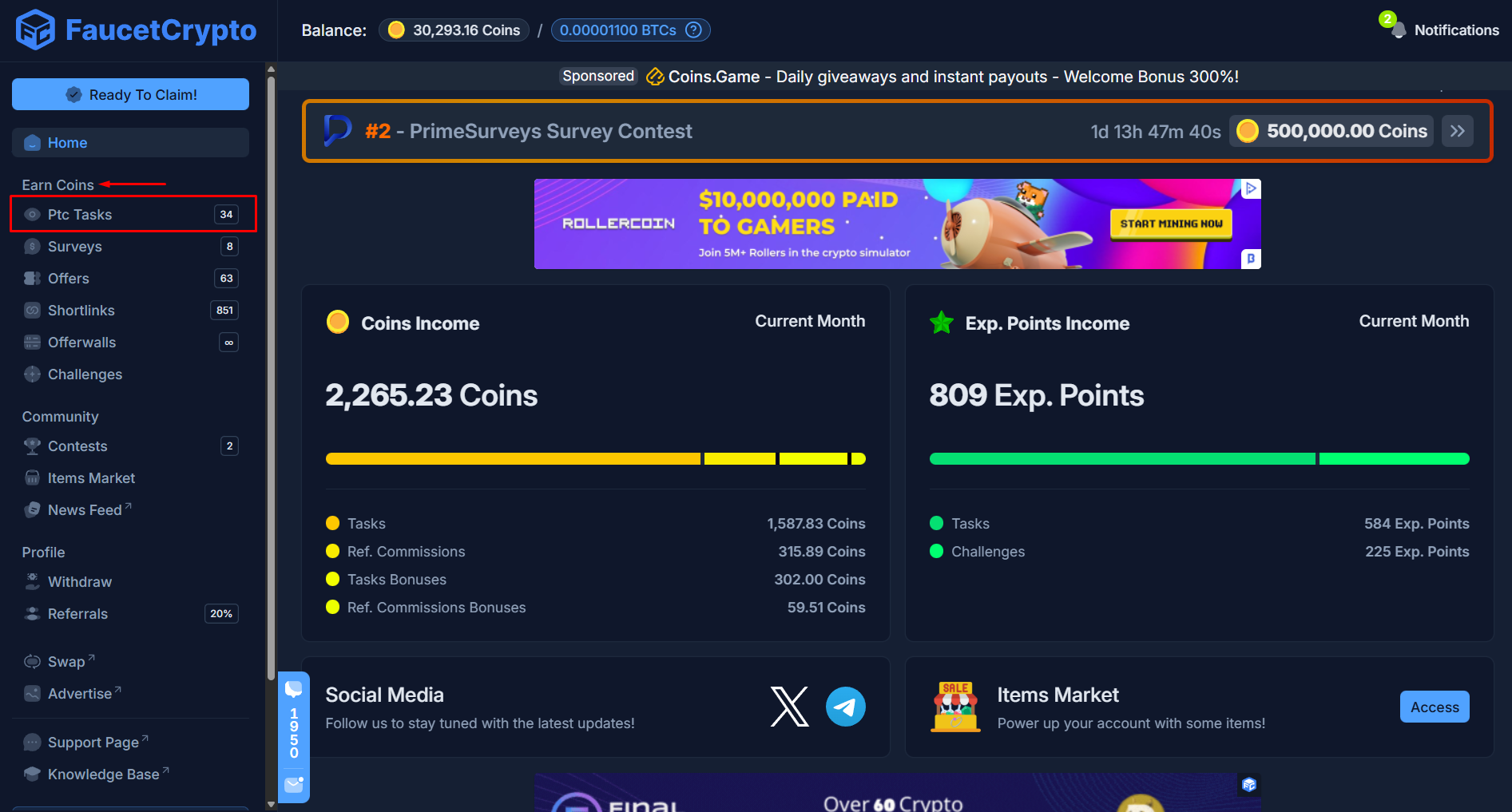 At the **Ptc Tasks page**, switch over to the tab labelled **External** and click "***Start***" for any BitcoTasks ad under that tab
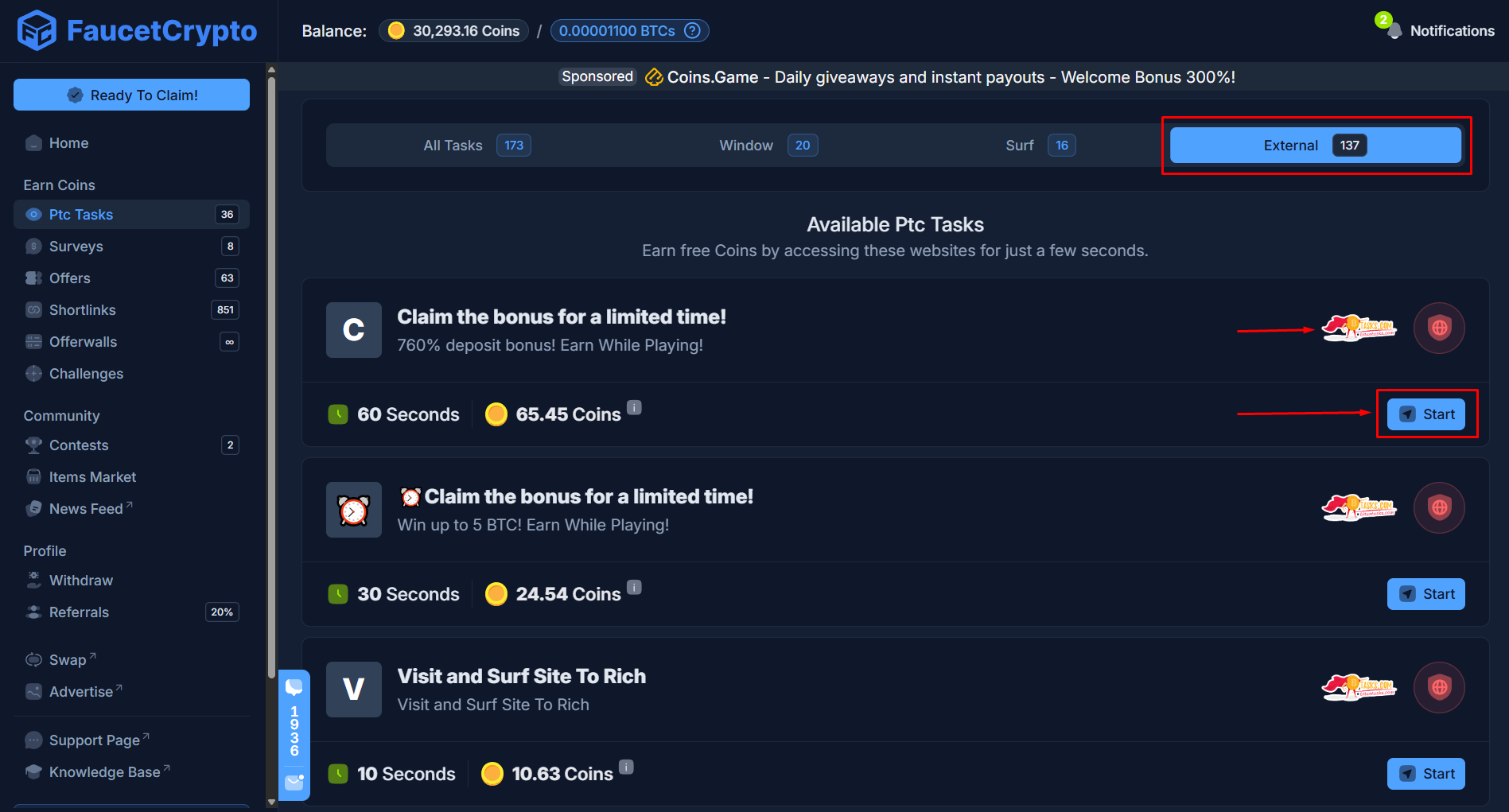 It will open up fully as a new tab in your browser, with a "***Start View Ad***" button at the top left corner of the page. Click on that to begin viewing the Ad
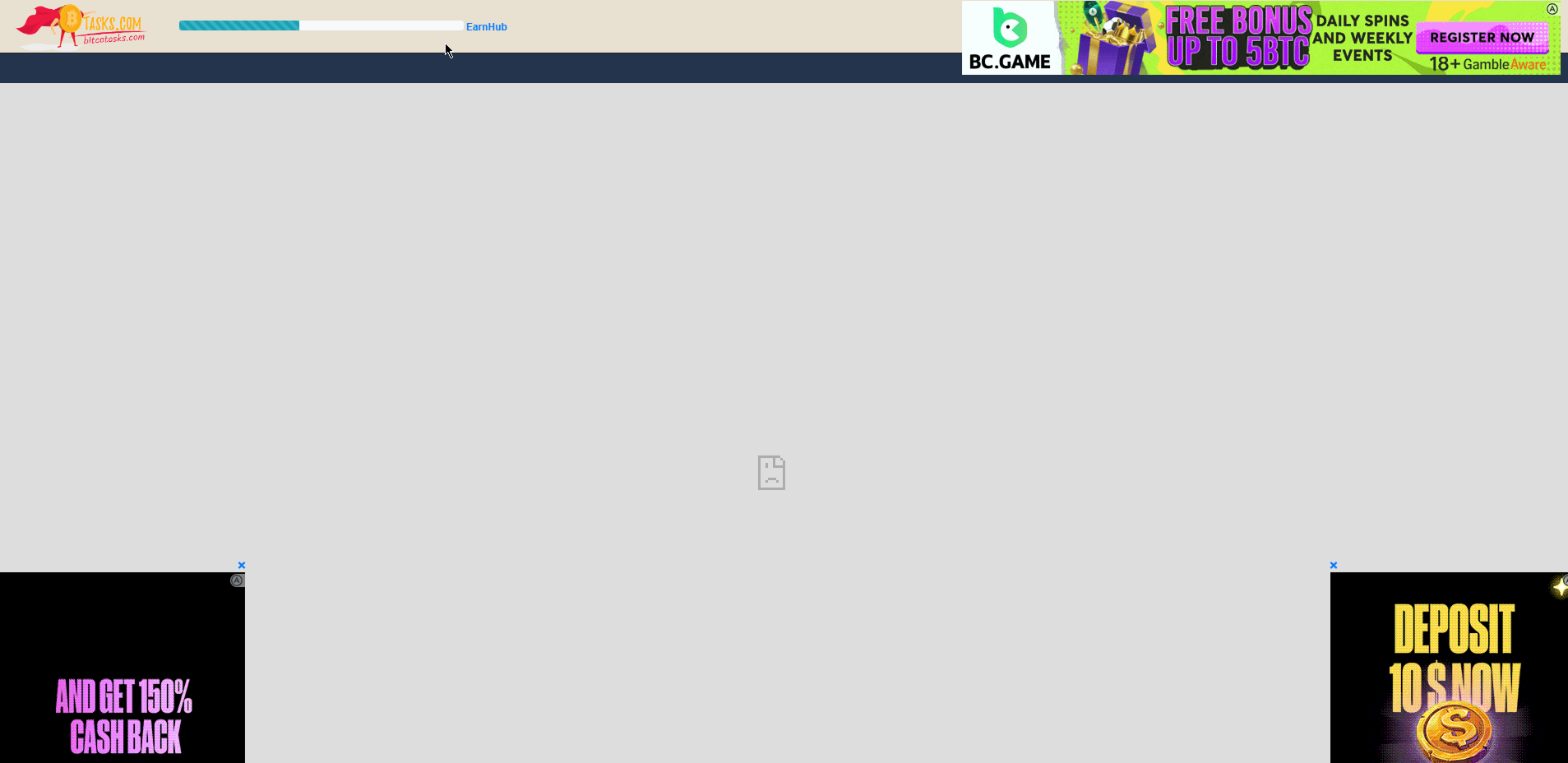
 ...it is important to note that, **Bitcotasks operates two (2) variants of PTC ads**. Hence, in some cases at this step, instead of getting a "*Start View Ad*" button, you'll see a **countdown represented by a blue bar progressively fill up automatically**. Illustrated in the image below:
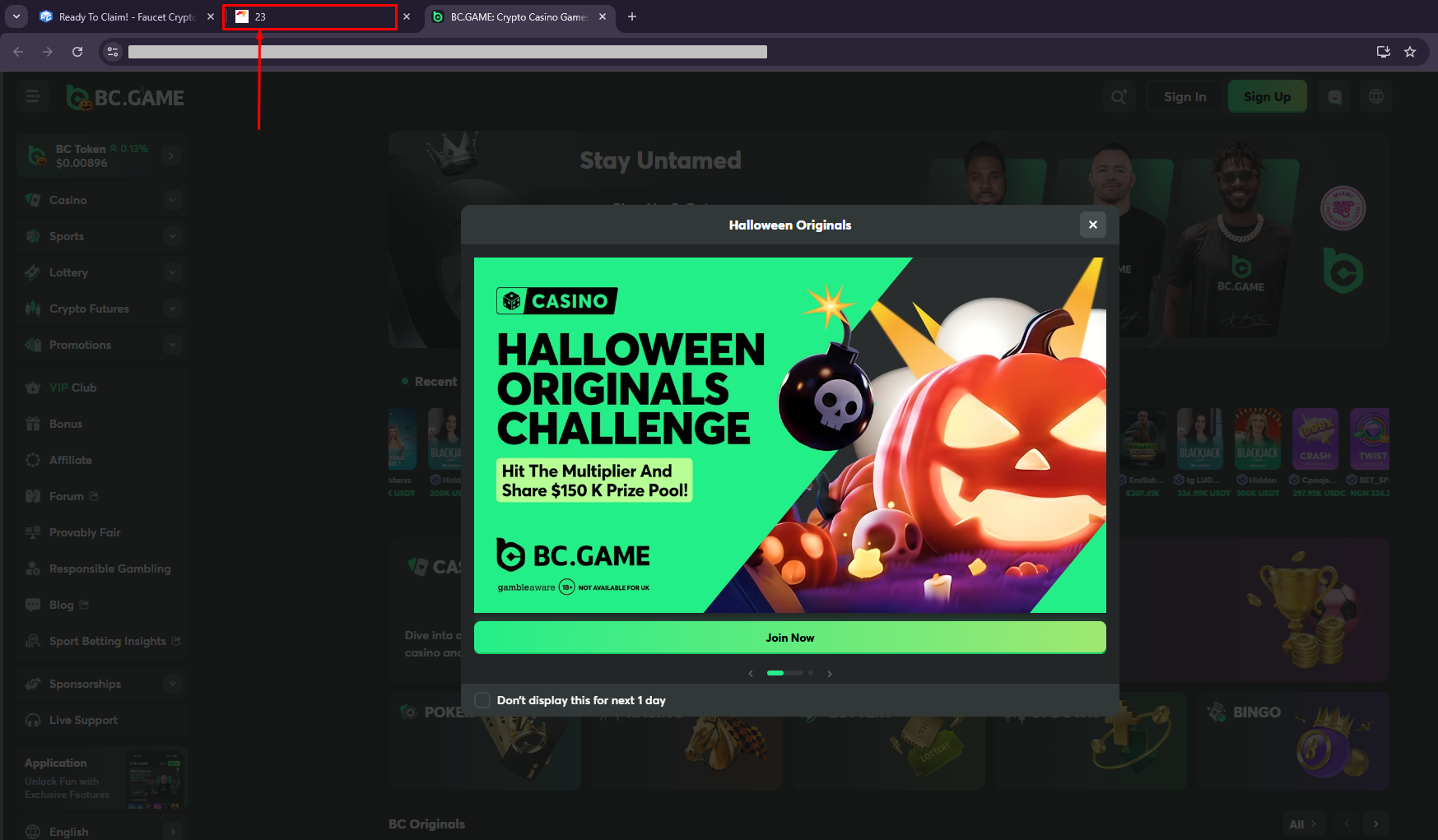
 Anyway, once you click "***Start View Ad***" you will be redirected and the ad to be viewed will open up in a new tab while you get a countdown signifying how much time is left for you to remain on the ad page
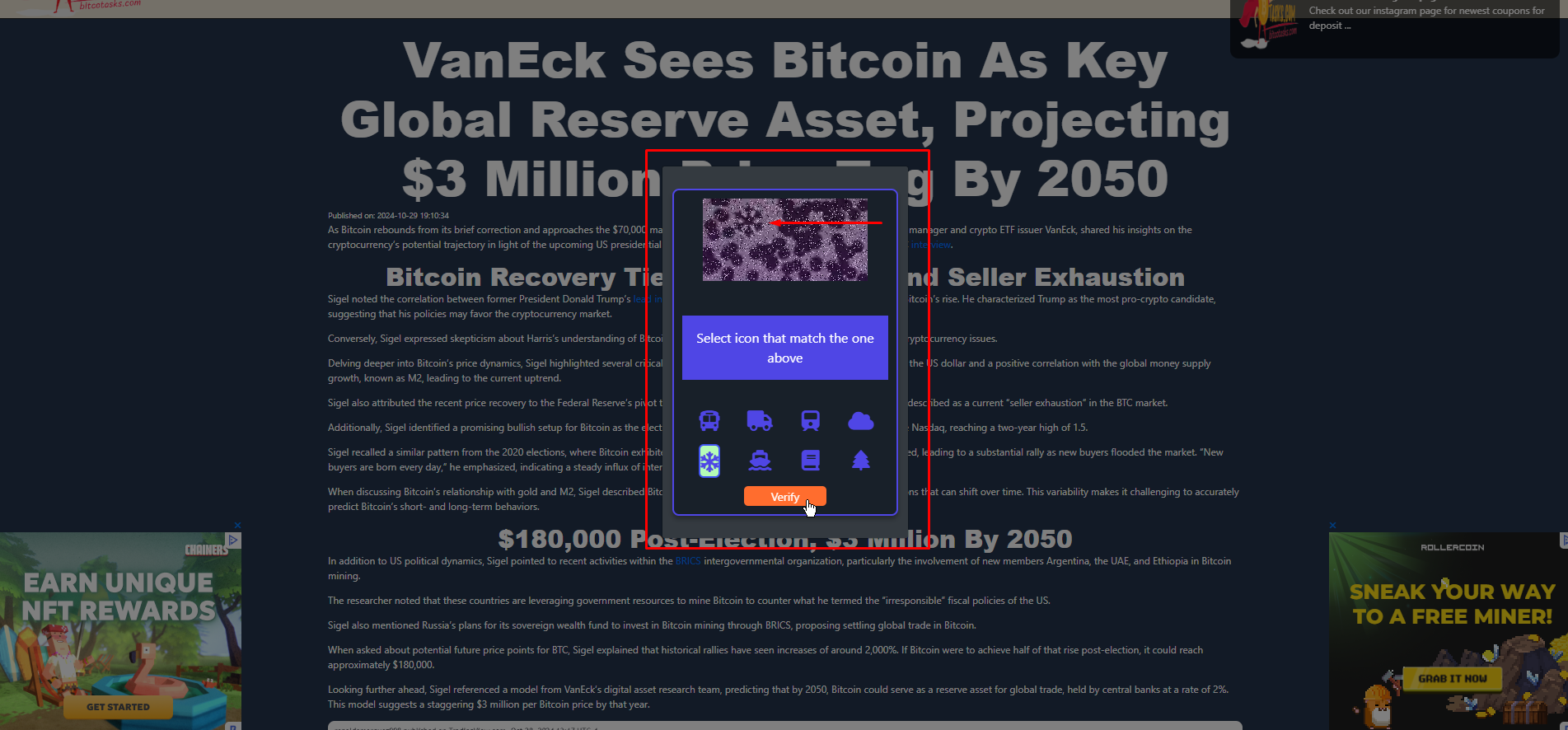
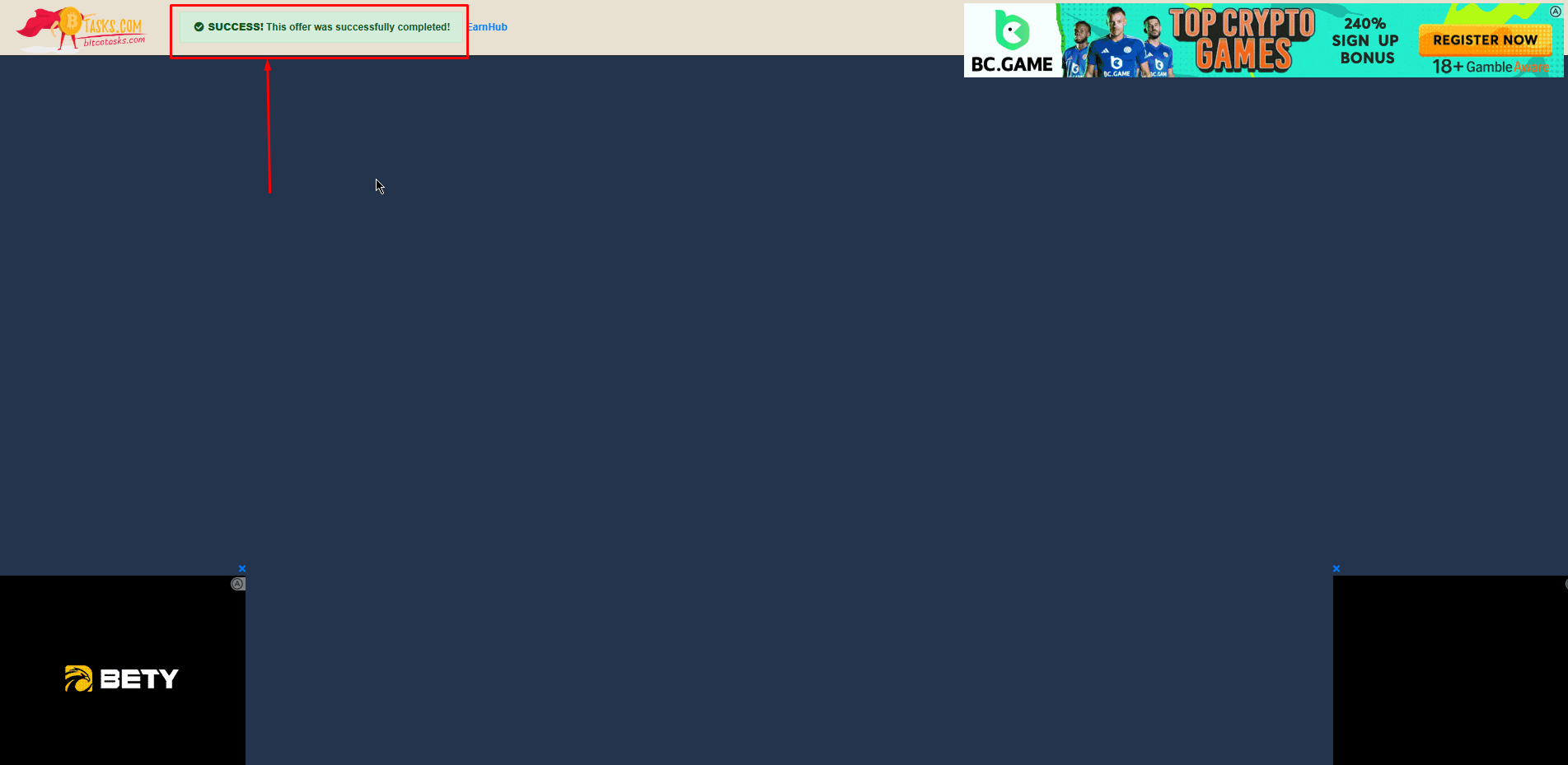
 When the **countdown elapses** (or as in the 2nd type of Bitcotasks PTC ads, the blue progressive bar completely fills up), you'll **solve a captcha** on the Bitcotasks page. Once solved correctly, you'll see a **confirmative message at the top left corner** signifying you have successfully viewed the ad
 You may close all the tabs and **return back to our website. Refresh the page** and check your **notifications** (at the top right corner of your dashboard) to see a message about your reward, which have automatically been added to your account
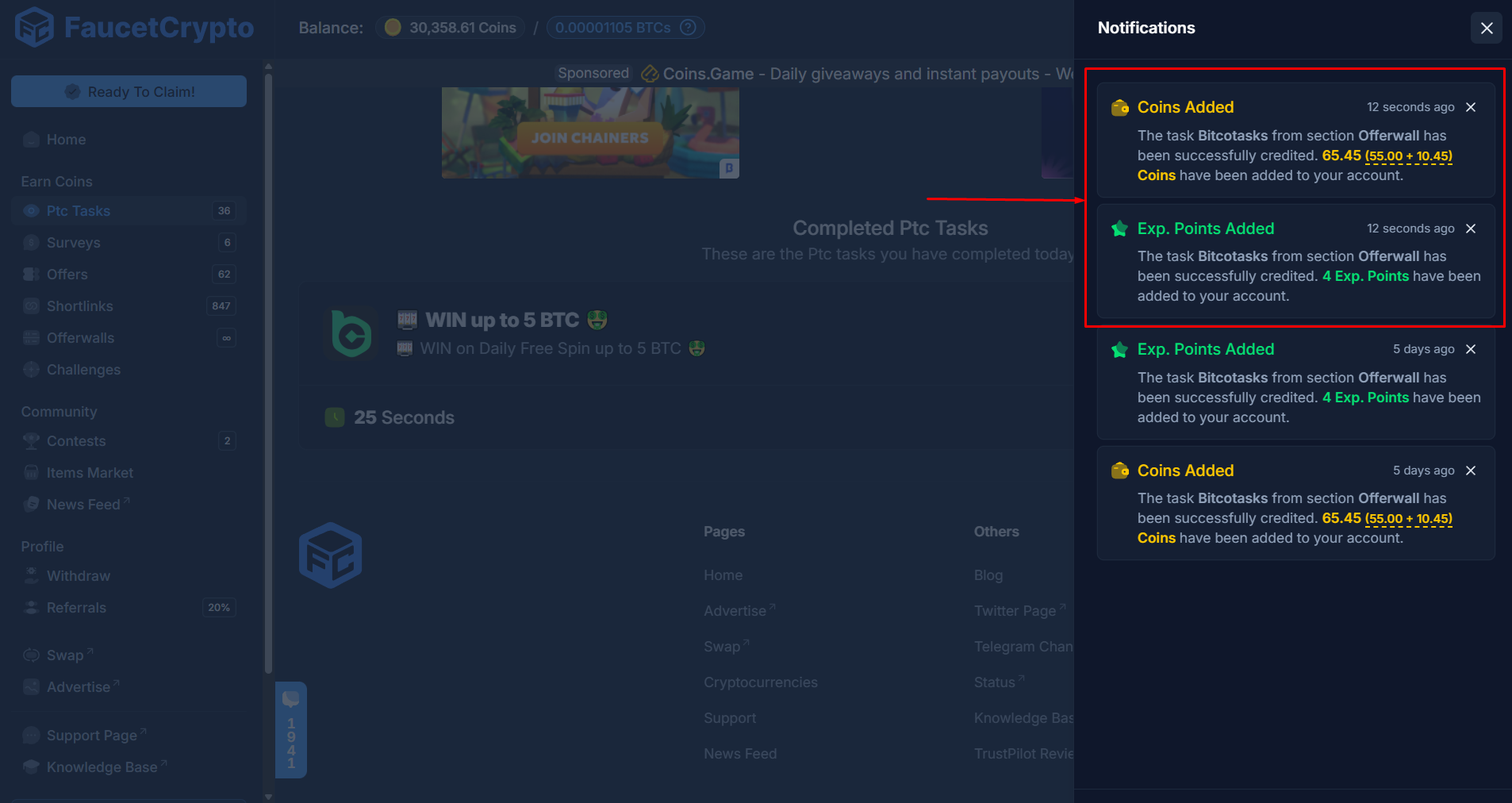 **Note:** *You can complete Bitcotasks PTC ads on a laptop or mobile device.*
* *Ensure you have a stable internet connection*
* *Pay attention to any countdowns, and disable any adblockers in your browser as they interfere with the pages smooth operation*
***
# How to link Loot Parrot to Faucet Crypto
Loot Parrot is one of the most rewarding offerwalls. Follow this detailed guide to link it to your Faucet Crypto account:
Sign-in to your **Account**
Click on **Offerwalls** in the left-side menu under the **Earn Coins** section
**Note:** *You can complete Bitcotasks PTC ads on a laptop or mobile device.*
* *Ensure you have a stable internet connection*
* *Pay attention to any countdowns, and disable any adblockers in your browser as they interfere with the pages smooth operation*
***
# How to link Loot Parrot to Faucet Crypto
Loot Parrot is one of the most rewarding offerwalls. Follow this detailed guide to link it to your Faucet Crypto account:
Sign-in to your **Account**
Click on **Offerwalls** in the left-side menu under the **Earn Coins** section
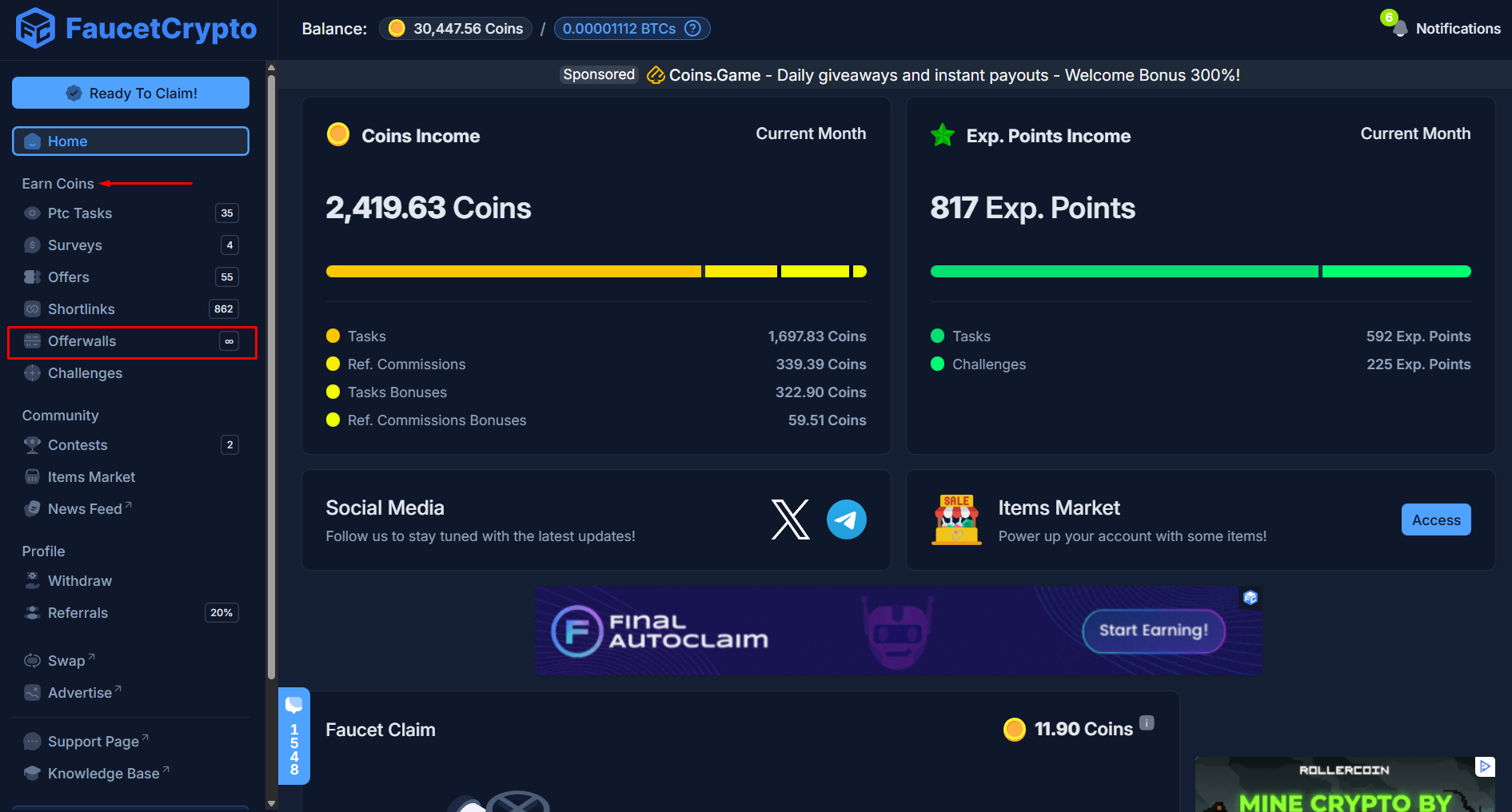 Scroll down the **Offerwalls page** till you see ***Lootably***. Click on it
 **Note:** *It is crucial that you select "Lootably" at this step even though "Loot Parrot" is shown as a standalone offerwall just below. This is because Loot Parrot is integrated through Lootably; hence, the initial link of the offerwall to your Faucet Crypto account has to be done from Lootably first.*
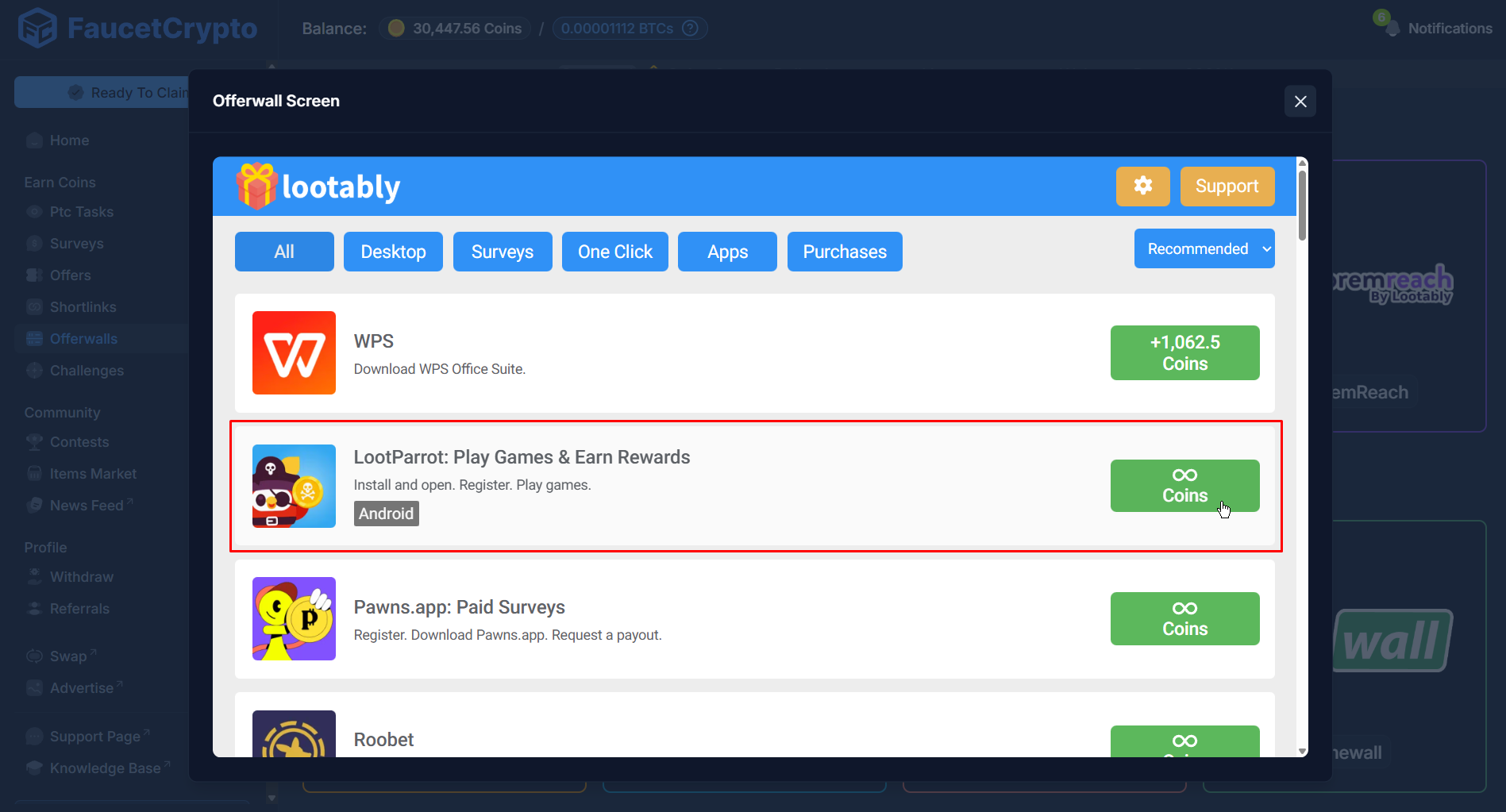
Once Lootably opens, click on **Loot Parrot** shown within the modal
**Note:** *It is crucial that you select "Lootably" at this step even though "Loot Parrot" is shown as a standalone offerwall just below. This is because Loot Parrot is integrated through Lootably; hence, the initial link of the offerwall to your Faucet Crypto account has to be done from Lootably first.*
Once Lootably opens, click on **Loot Parrot** shown within the modal
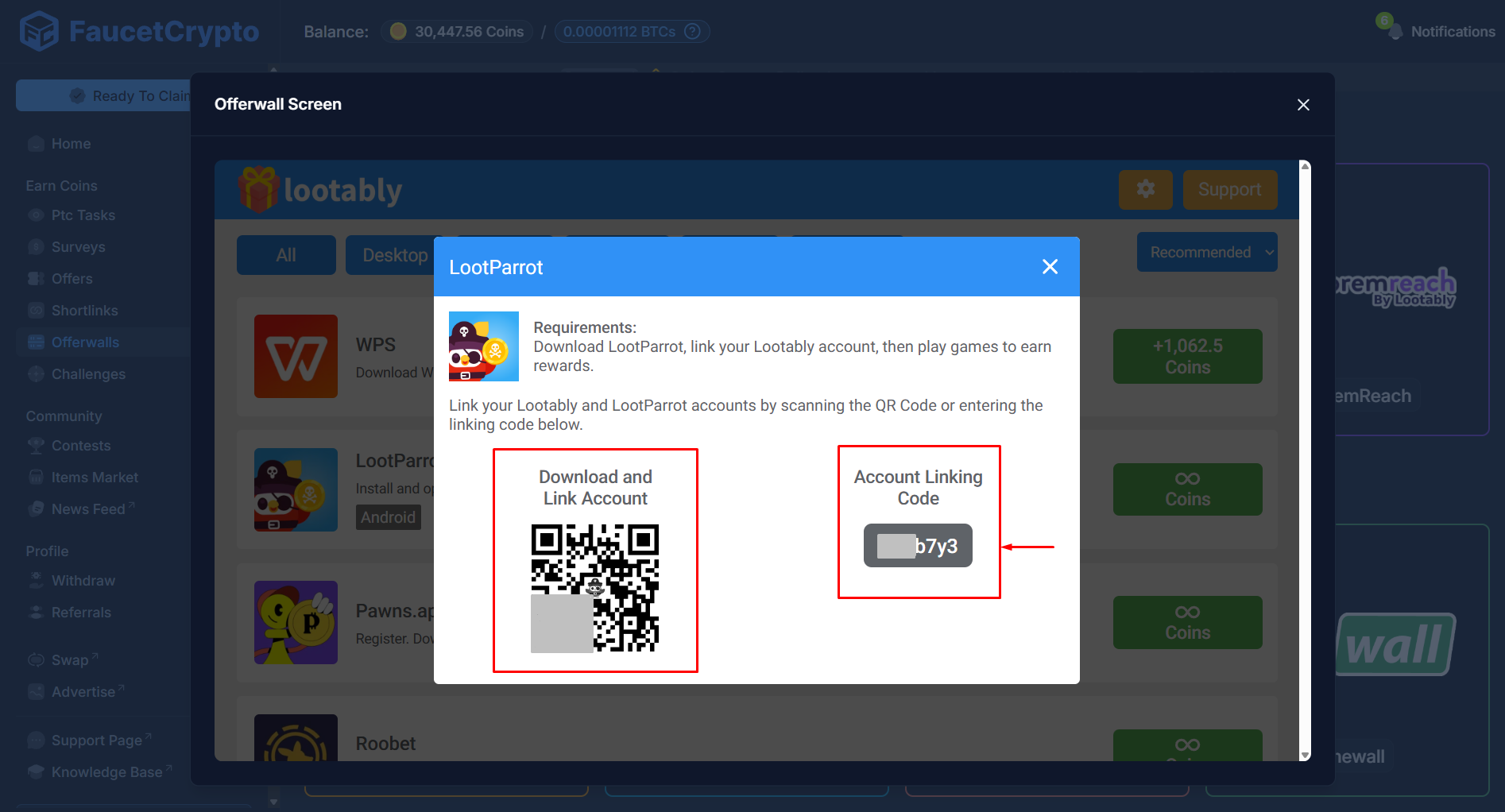
 The instructions will be displayed. Copy the **Account linking code** provided & scan the **QR-code** shown to download Loot Parrot for your device
 Once Loot Parrot is downloaded and installed on your phone, click on ***"Redeem"*** at the bottom left and select ***"Enter Linking Code"***. Paste in the **Account linking code** you had copied and hit ***"Enter"*** to complete the linking process
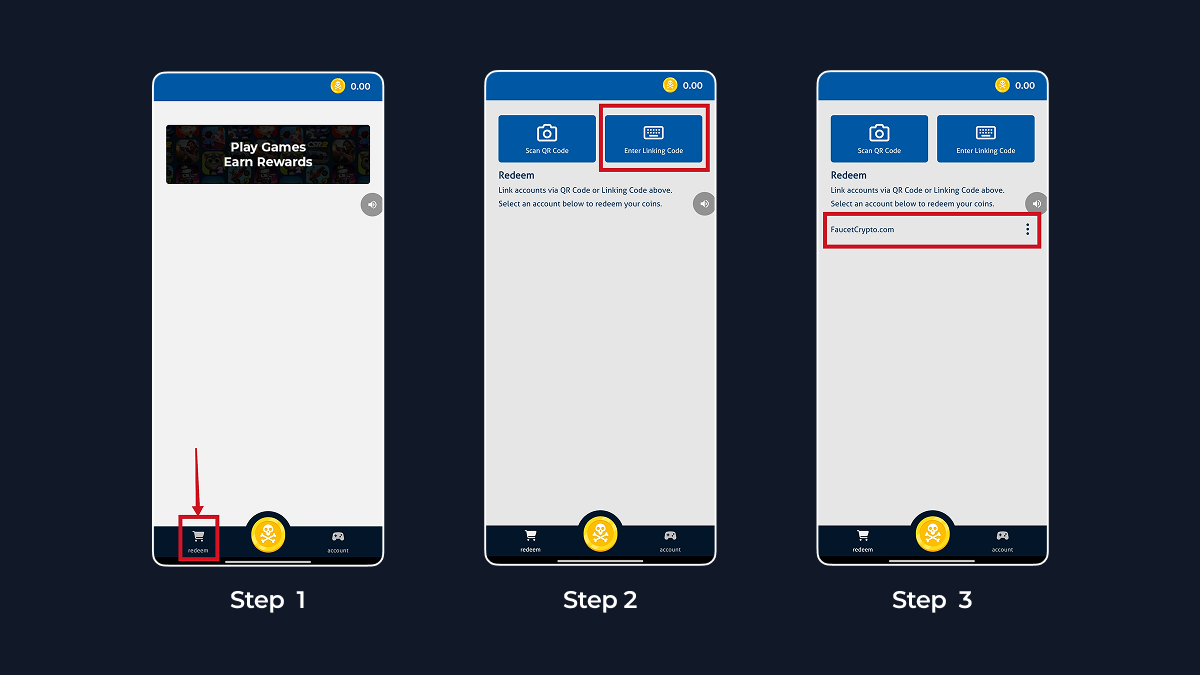 Once you see **FaucetCrypto.com** listed on the Redeem page of your Loot Parrot app, that is a confirmation that you correctly linked your account to the app.\
\
You may proceed to **play games or complete offers from Loot Parrot** and redeem your coin rewards straight to your FaucetCrypto account.
**Note:** *Even though "Loot Parrot" is shown as a standalone offerwall on the Offerwalls page, the initial linkage to your Faucet Crypto account has to be done from "Lootably" first through the steps explained above. Thereafter, you can always access Loot Parrot directly.*
Once you see **FaucetCrypto.com** listed on the Redeem page of your Loot Parrot app, that is a confirmation that you correctly linked your account to the app.\
\
You may proceed to **play games or complete offers from Loot Parrot** and redeem your coin rewards straight to your FaucetCrypto account.
**Note:** *Even though "Loot Parrot" is shown as a standalone offerwall on the Offerwalls page, the initial linkage to your Faucet Crypto account has to be done from "Lootably" first through the steps explained above. Thereafter, you can always access Loot Parrot directly.*