> ## Documentation Index
> Fetch the complete documentation index at: https://knowledge-base.faucetcrypto.com/llms.txt
> Use this file to discover all available pages before exploring further.
# Market System
# Market Guide
The new Market system follows an **Order-Book style** where there are **Buy orders** & **Ask orders**, with their transparent pricing presentation side by side. Being an order-book, you may set your desired price above or below the current market's price, depending on if you wish to instantly buy or sell an Item.
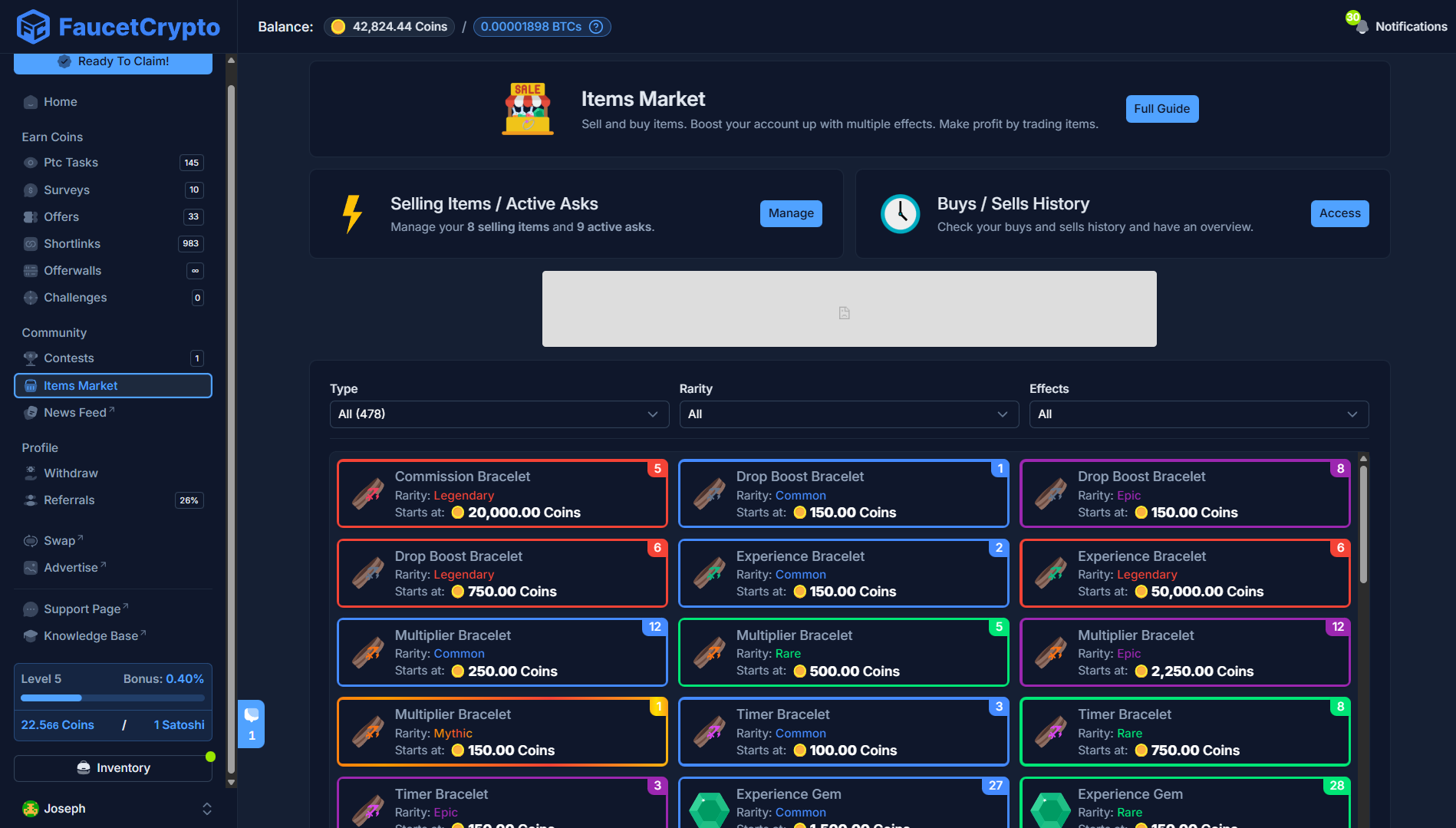
The **Items Market page** opens up onto a box containing **all Items available** on the website & a **Market Statistics graph** showing global market activity trends/performance. Filters (*Type, Rarity, Effects*) can be applied to the Items box to quickly find markets for specific Items.
 ***
# How to place Buy & Sell Orders
To place an Order, you can scroll and find the particular Item in the Items box or use the Filters option to streamline your search (recommended).
In this example below, we would be trading the **Rare** - **Timer Gold Ring**, thus we set the Rarity filter to *'Rare'* and the Effects filter to *'Timer'*
***
# How to place Buy & Sell Orders
To place an Order, you can scroll and find the particular Item in the Items box or use the Filters option to streamline your search (recommended).
In this example below, we would be trading the **Rare** - **Timer Gold Ring**, thus we set the Rarity filter to *'Rare'* and the Effects filter to *'Timer'*
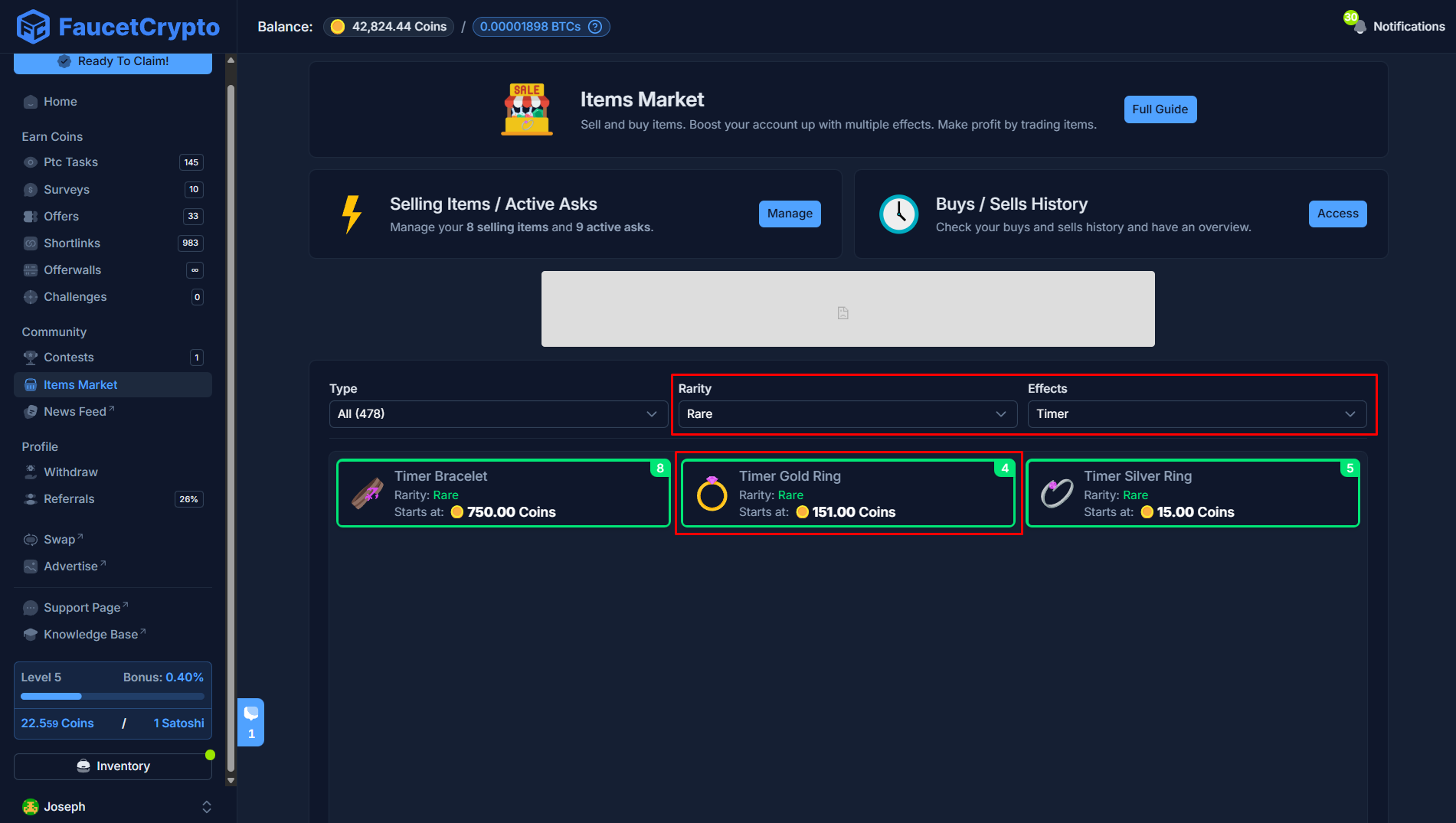 **Click on the Item** to open up its market page and view the Buy & Ask Orders as shown below
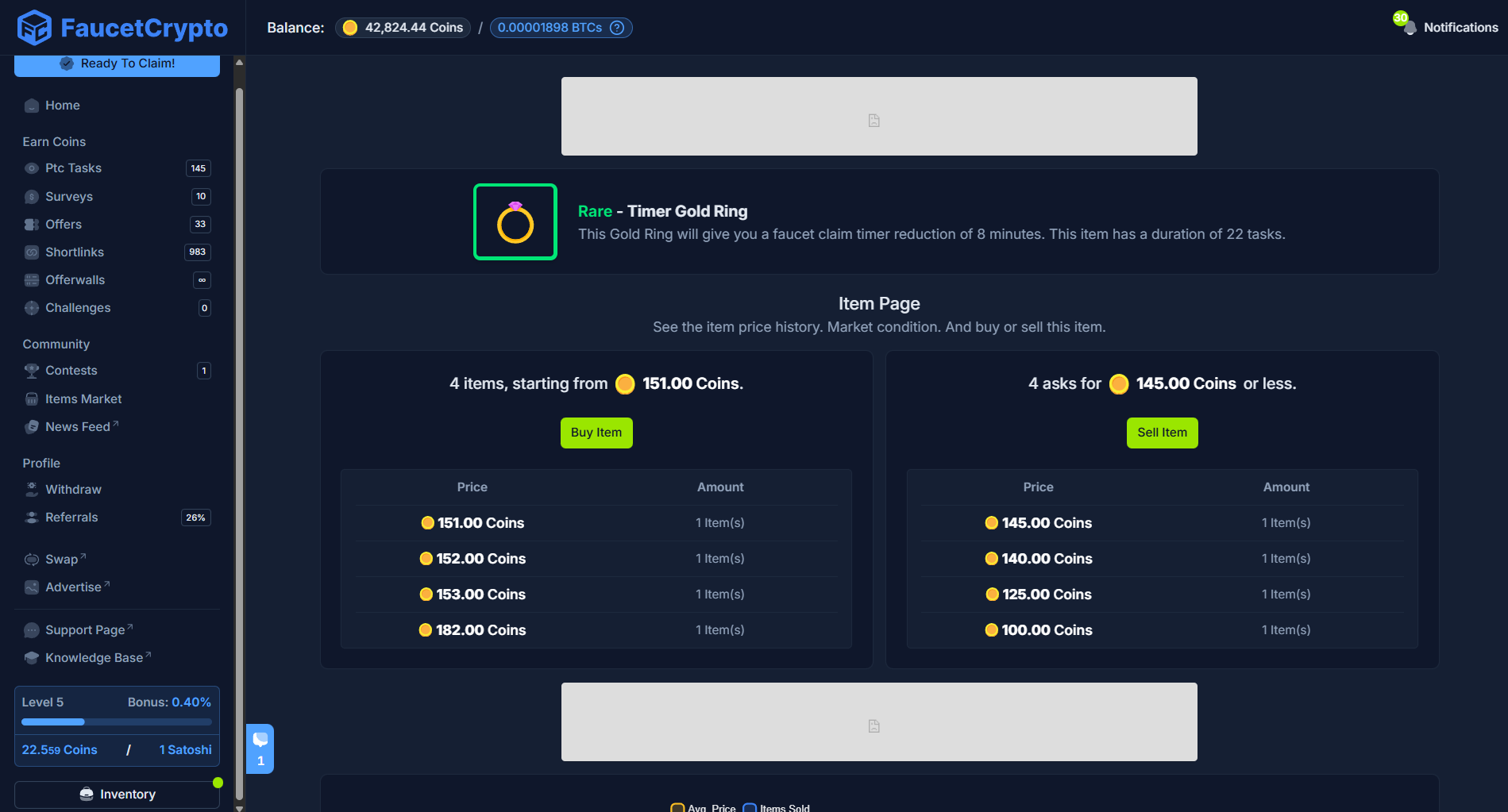 #### **Explanation**
* From the view of the market page, **the lowest price a seller is willing to sell their Rare - Timer Gold Ring is 151 Coins** (hence, the starting price is 151 Coins). If you wish to buy the Item, you can click the **"Buy Item" button** and buy at that price or input a lower price to create an ask order (your funds will reserved for it).
* **The highest price a buyer is willing to pay (ask) for a Rare - Timer Gold Ring is 145 Coins.** If you wish to Sell your item, you can click the **"Sell Item" button** and set the price of an asking to sell it instantly. Otherwise, it will sell when someone buys it later.
**The Items Market has fees applicable**. *This is visible on the Sell Item modal just before you confirm an order. It is the difference between what the buyer would pay (gross amount) and the amount you would receive.*
***
# How to Cancel Orders
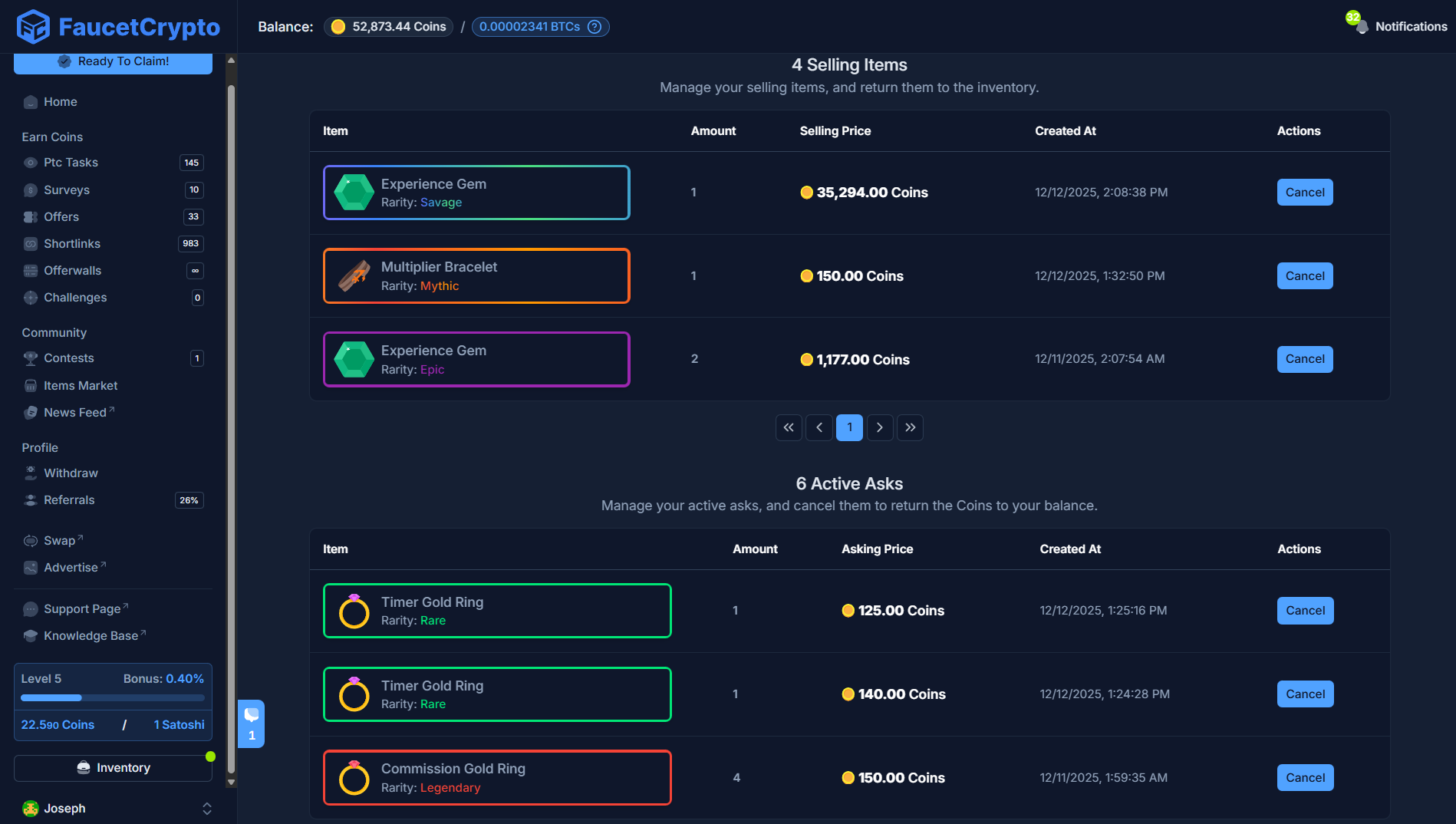
**All Orders will remain active until they are filled or cancelled**. You can cancel your orders by clicking the ***"Manage" button*** on the Items Market page to open your list of active orders
#### **Explanation**
* From the view of the market page, **the lowest price a seller is willing to sell their Rare - Timer Gold Ring is 151 Coins** (hence, the starting price is 151 Coins). If you wish to buy the Item, you can click the **"Buy Item" button** and buy at that price or input a lower price to create an ask order (your funds will reserved for it).
* **The highest price a buyer is willing to pay (ask) for a Rare - Timer Gold Ring is 145 Coins.** If you wish to Sell your item, you can click the **"Sell Item" button** and set the price of an asking to sell it instantly. Otherwise, it will sell when someone buys it later.
**The Items Market has fees applicable**. *This is visible on the Sell Item modal just before you confirm an order. It is the difference between what the buyer would pay (gross amount) and the amount you would receive.*
***
# How to Cancel Orders
**All Orders will remain active until they are filled or cancelled**. You can cancel your orders by clicking the ***"Manage" button*** on the Items Market page to open your list of active orders
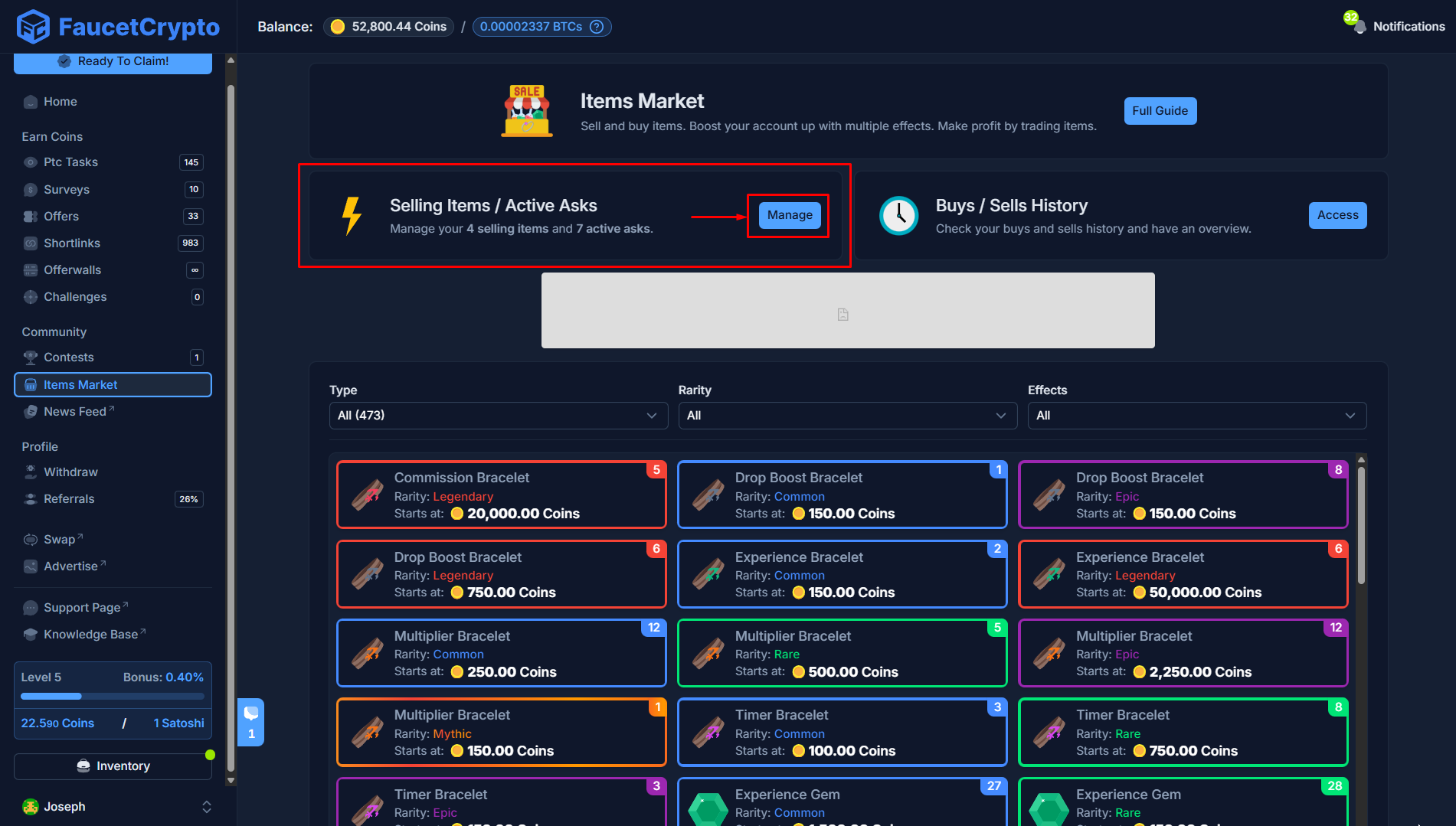 Both your Items on Sale & active Ask orders are **displayed in separate boxes**. Click the ***'Cancel'*** button for a listed entry to terminate/cancel the order.
* **Cancelling items on sale** returns them to your **Inventory**; while
* **Cancelling active Asks** returns your reserved **coins back to your Coins Balance**.
Both your Items on Sale & active Ask orders are **displayed in separate boxes**. Click the ***'Cancel'*** button for a listed entry to terminate/cancel the order.
* **Cancelling items on sale** returns them to your **Inventory**; while
* **Cancelling active Asks** returns your reserved **coins back to your Coins Balance**.
 **Note:**
* *You can go into your Inventory, select an item and click "Put to Sale" to directly visit its market page*
* *Creating an Ask order (the price you're willing to pay to buy an item) automatically reserves that Coins amount for the purchase. To return the Coins back to your Coins Balance, you have to cancel the order*
* *Orders for mutliple items at the same price on the market are filled by the oldest first*
* *Your Buy/Sell history can be accessed from the Items Market page*
**Note:**
* *You can go into your Inventory, select an item and click "Put to Sale" to directly visit its market page*
* *Creating an Ask order (the price you're willing to pay to buy an item) automatically reserves that Coins amount for the purchase. To return the Coins back to your Coins Balance, you have to cancel the order*
* *Orders for mutliple items at the same price on the market are filled by the oldest first*
* *Your Buy/Sell history can be accessed from the Items Market page*