> ## Documentation Index
> Fetch the complete documentation index at: https://knowledge-base.faucetcrypto.com/llms.txt
> Use this file to discover all available pages before exploring further.
# [Old] Buy Items
# How to buy Items from the Market?
This is pretty straightforward as the same steps in the previous guide about [selling your item](https://knowledge-base.faucetcrypto.com/items-and-market/sell-items). The difference is that now you're **buying** from the Market. To buy items from the market, please follow the step-by-step guide below.
As an illustration in this guide, we'll be buying a *Rare Commission Gold Ring*.
Sign-in to your **Account**
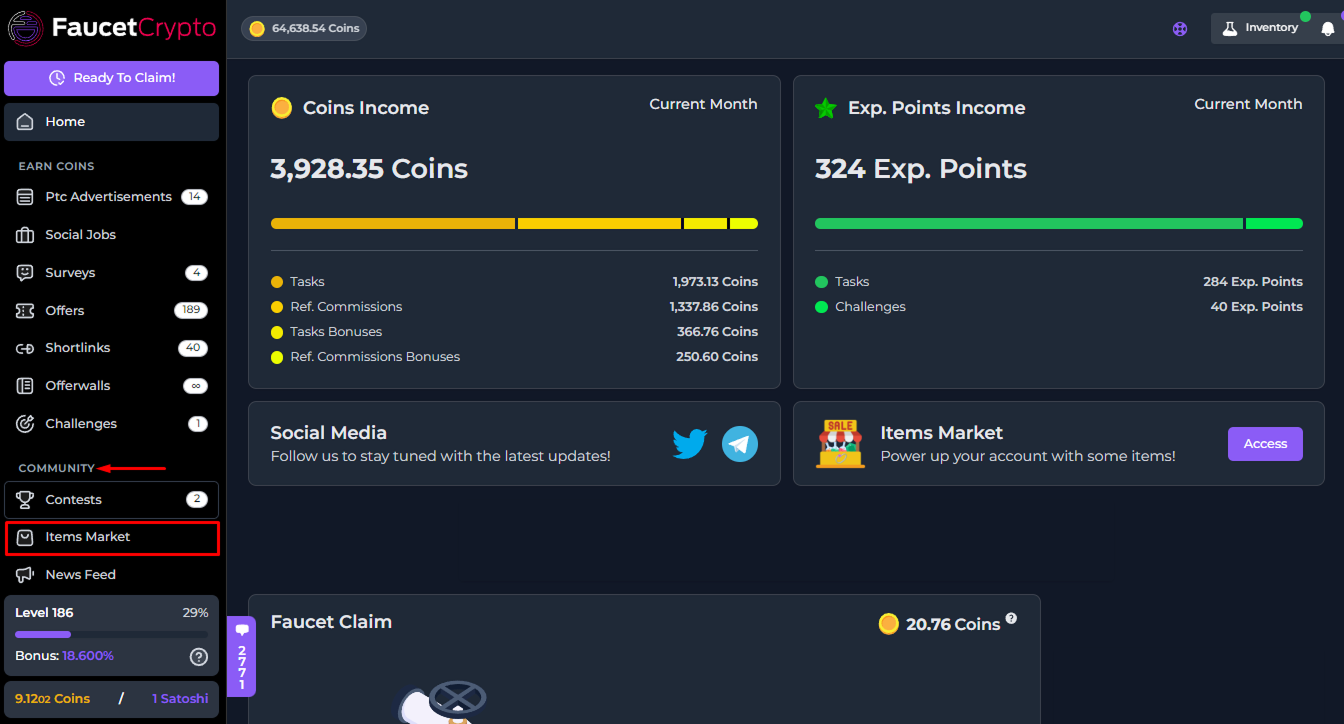
Scroll down the left-side menu to the **COMMUNITY** section, and click on the **Items Market** option/page under it
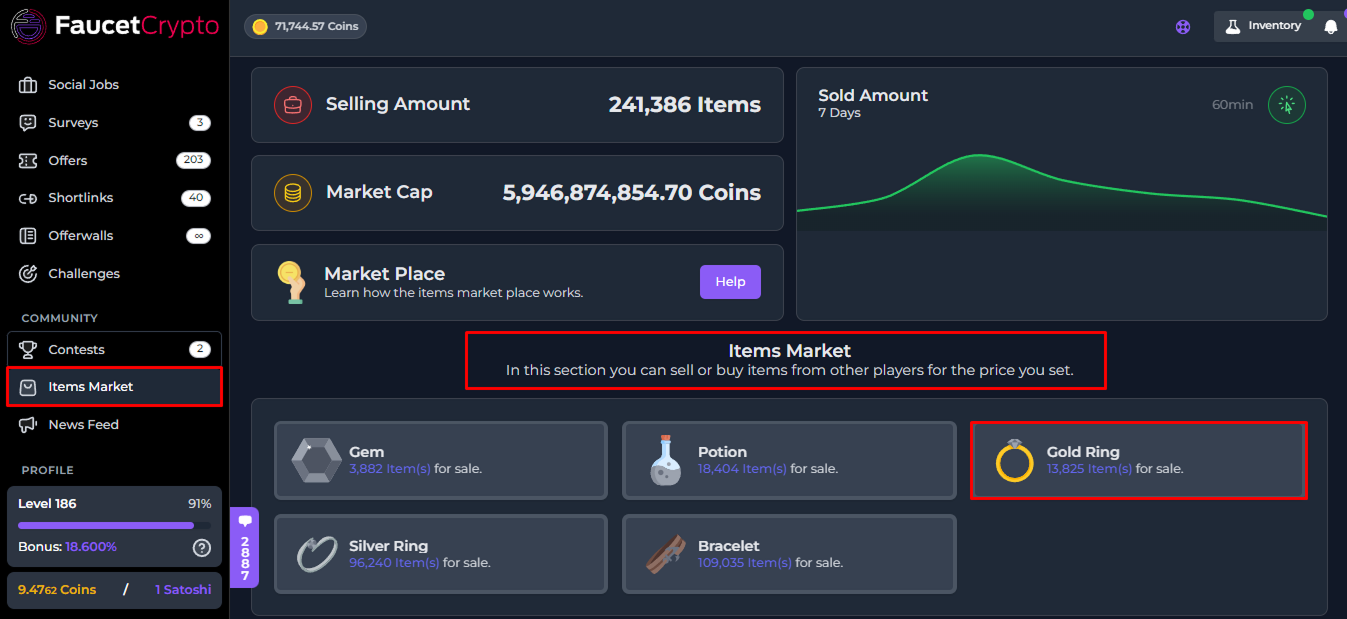
 As the page opens, scroll down to find the "**Items Market**" box and click on the type of item you want to buy. In this guide, we'll be buying a Commission Gold Ring, and thus we'll click on "***Gold Ring***"
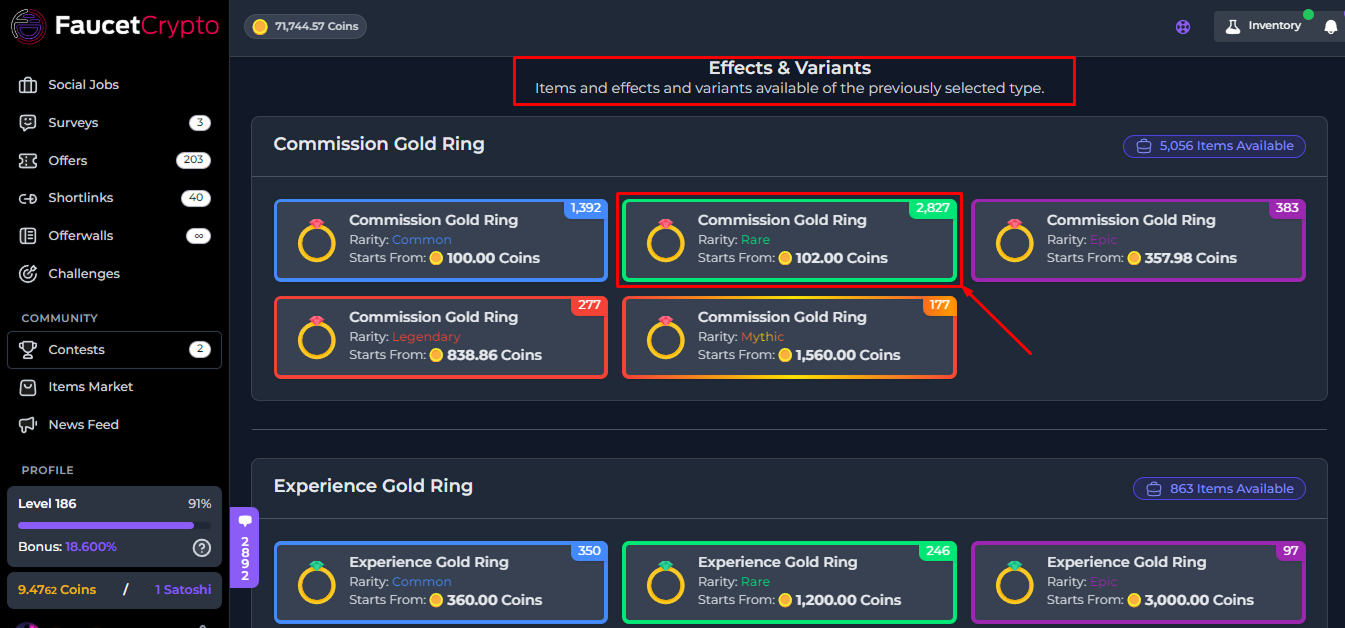
 Once the **Gold Ring Market** category page opens, scroll down to find the ***Commission Gold Ring*** box in the list of various Gold Ring Item types; then click on the **rarity** of Commission Gold Ring you want to buy (in this guide, we'll be buying a Rare Commission Gold Ring)
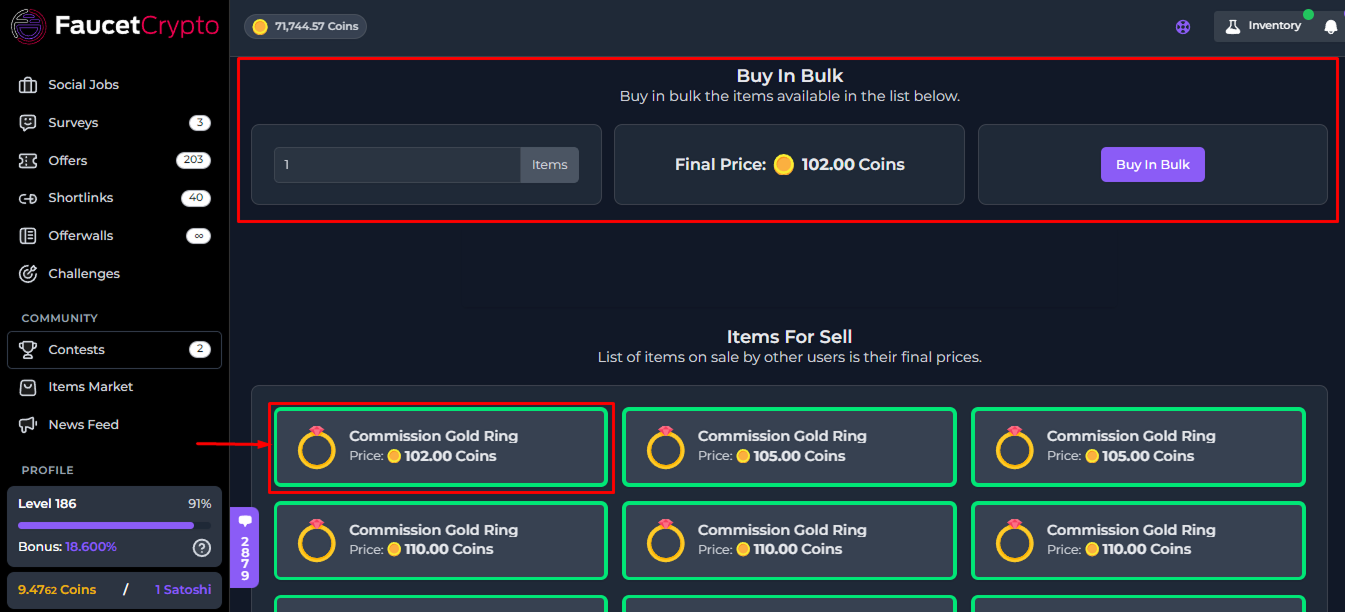
 Once you've selected the rarity type, you can buy in **Bulk** by inputting the number of items you want to buy at once, or scroll down and select a **single order**
 If you select a single order, a small window with more information will pop up (as shown in the image below). Read the information carefully and click on "***Buy Item***" to buy it
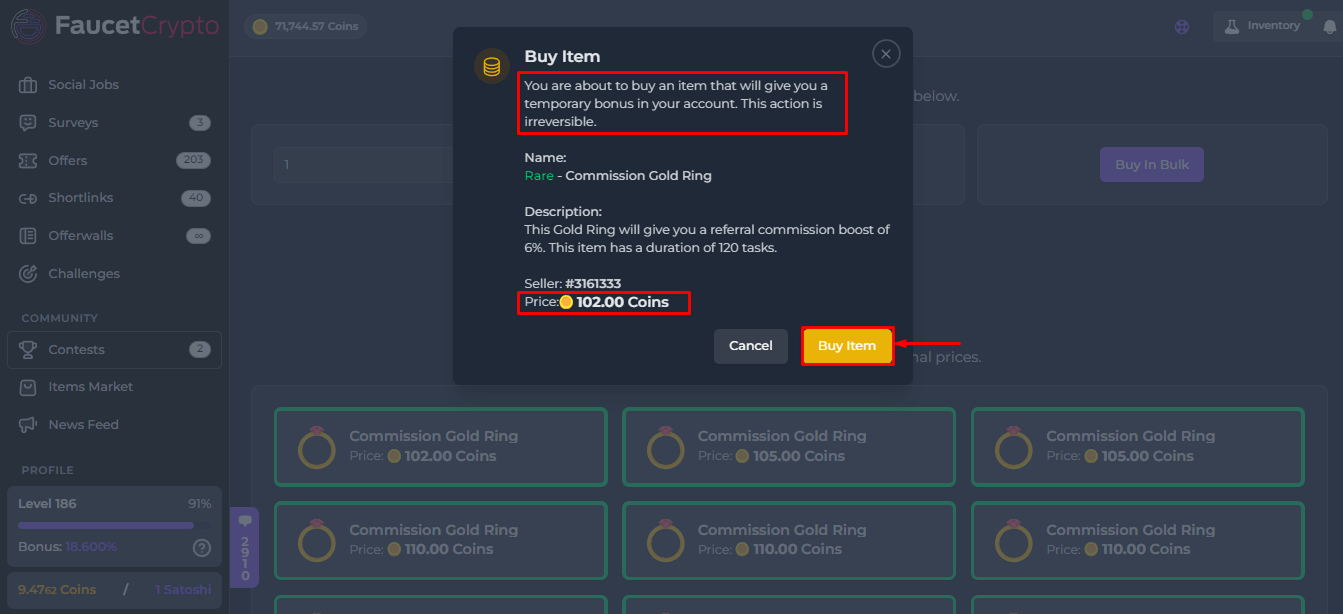 Hurray! You've successfully bought an Item from the Market. The Item will automatically be added to your Inventory and can be used or resold.
**Tip:** *The higher the rarity of an Item, the greater its effect*
Hurray! You've successfully bought an Item from the Market. The Item will automatically be added to your Inventory and can be used or resold.
**Tip:** *The higher the rarity of an Item, the greater its effect*