> ## Documentation Index
> Fetch the complete documentation index at: https://knowledge-base.faucetcrypto.com/llms.txt
> Use this file to discover all available pages before exploring further.
# Withdraw Funds
# How to withdraw from Faucet Crypto?
In order to withdraw from **Faucet Crypto**, you need to have accumulated the required minimum amount of Coins (or more) to withdraw, and have set up/own a crypto wallet. In this guide, we will use Solana (SOL) to illustrate how to withdraw **crypto** from your account to an external platform or wallet.
Follow the steps below:
Sign-in to your **Account**
Scroll down the left-side menu to the **Profile** section, and click on the **Withdraw** option/page under it
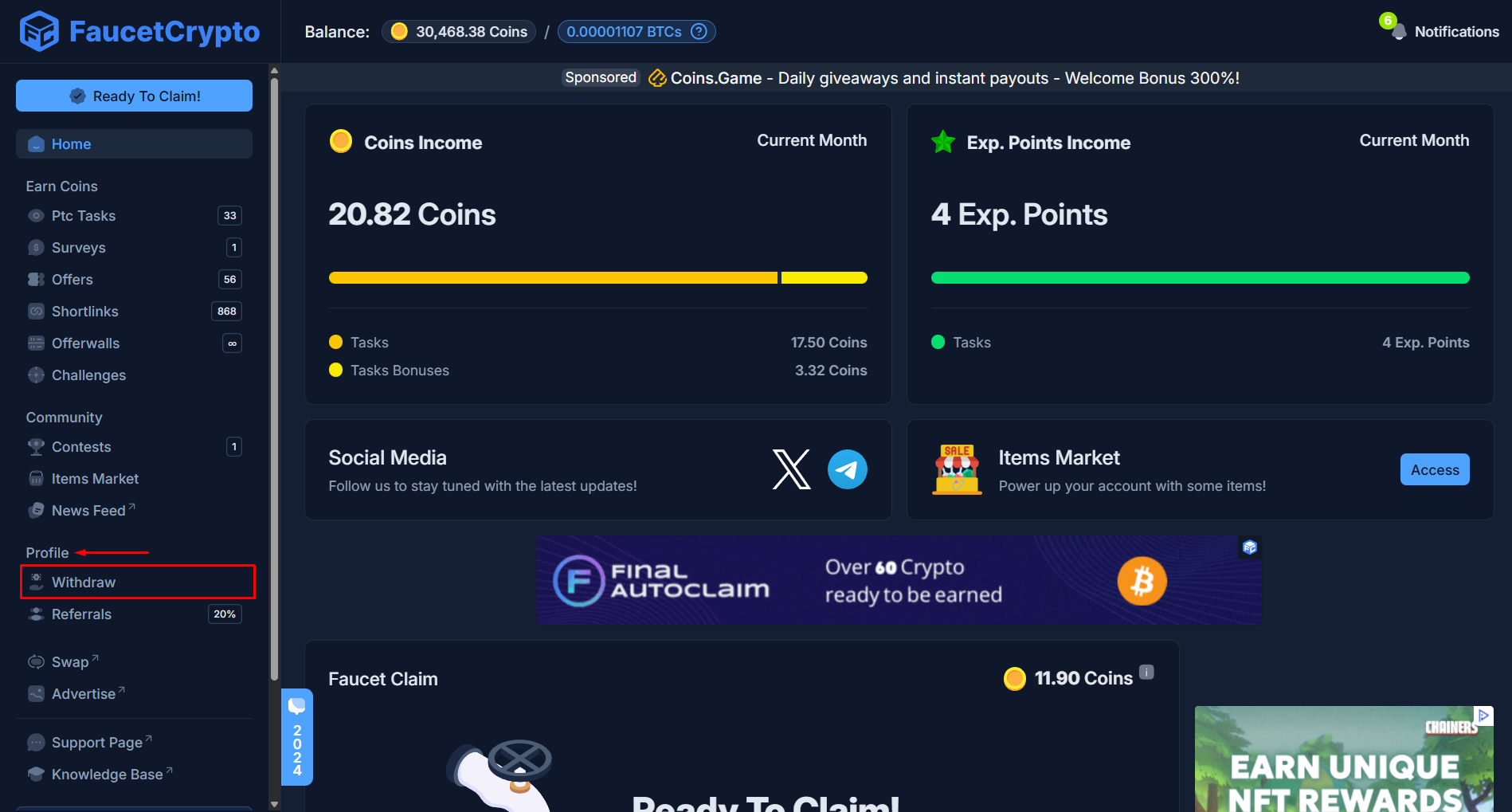 At the Withdrawal page, find the **cryptocurrency** you want to withdraw, and click on its **withdraw** button. In this example, we will be withdrawing Solana (SOL)
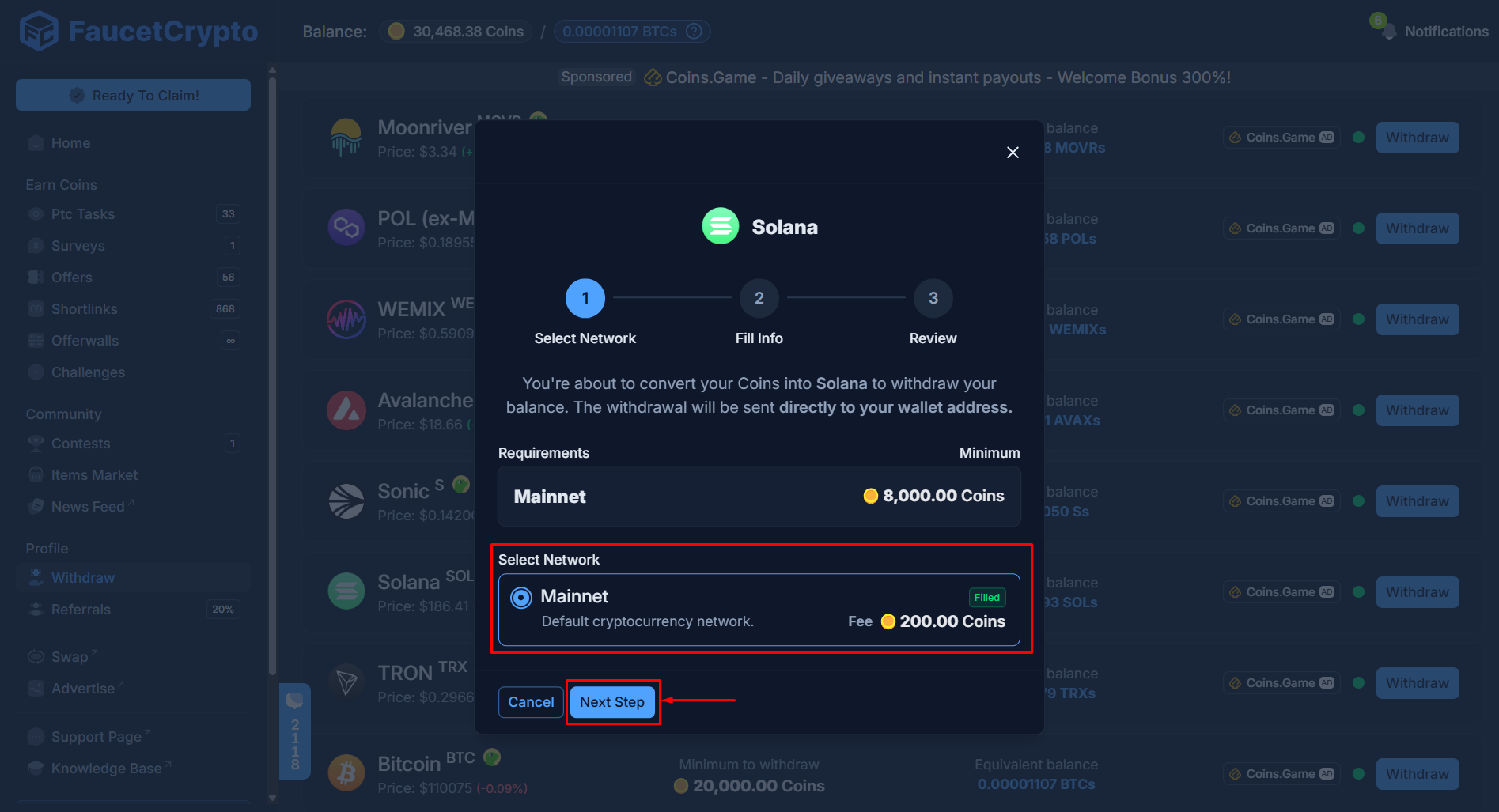
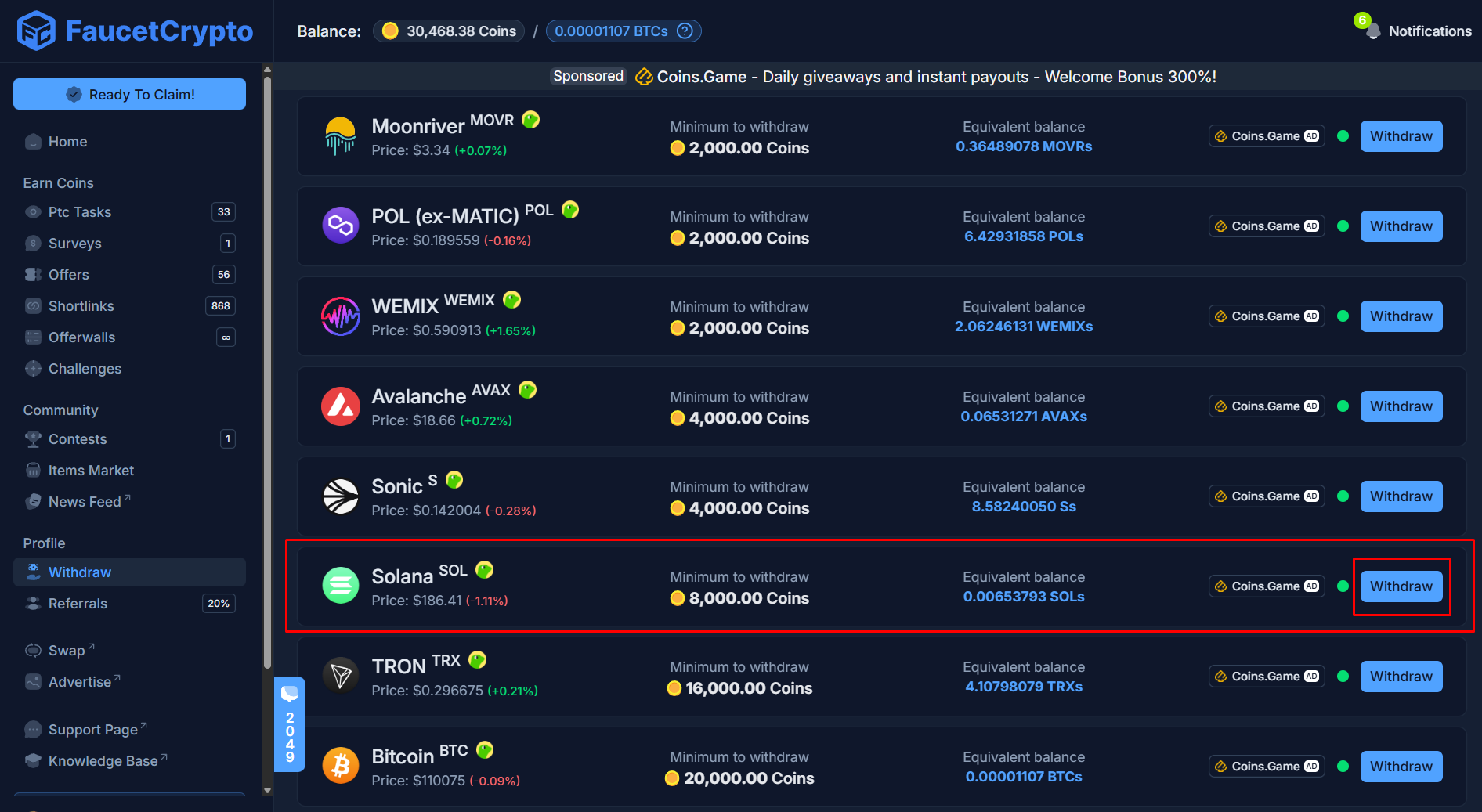 A mini-popup or modal will show with information to initiate the withdrawal process through a series of three (3) steps — ***Select Network***, ***Fill Info***, ***Review***.
* **Step I**: **Select Network** — Confirm the network for the withdrawal and click on "***Next Step***"
A mini-popup or modal will show with information to initiate the withdrawal process through a series of three (3) steps — ***Select Network***, ***Fill Info***, ***Review***.
* **Step I**: **Select Network** — Confirm the network for the withdrawal and click on "***Next Step***"
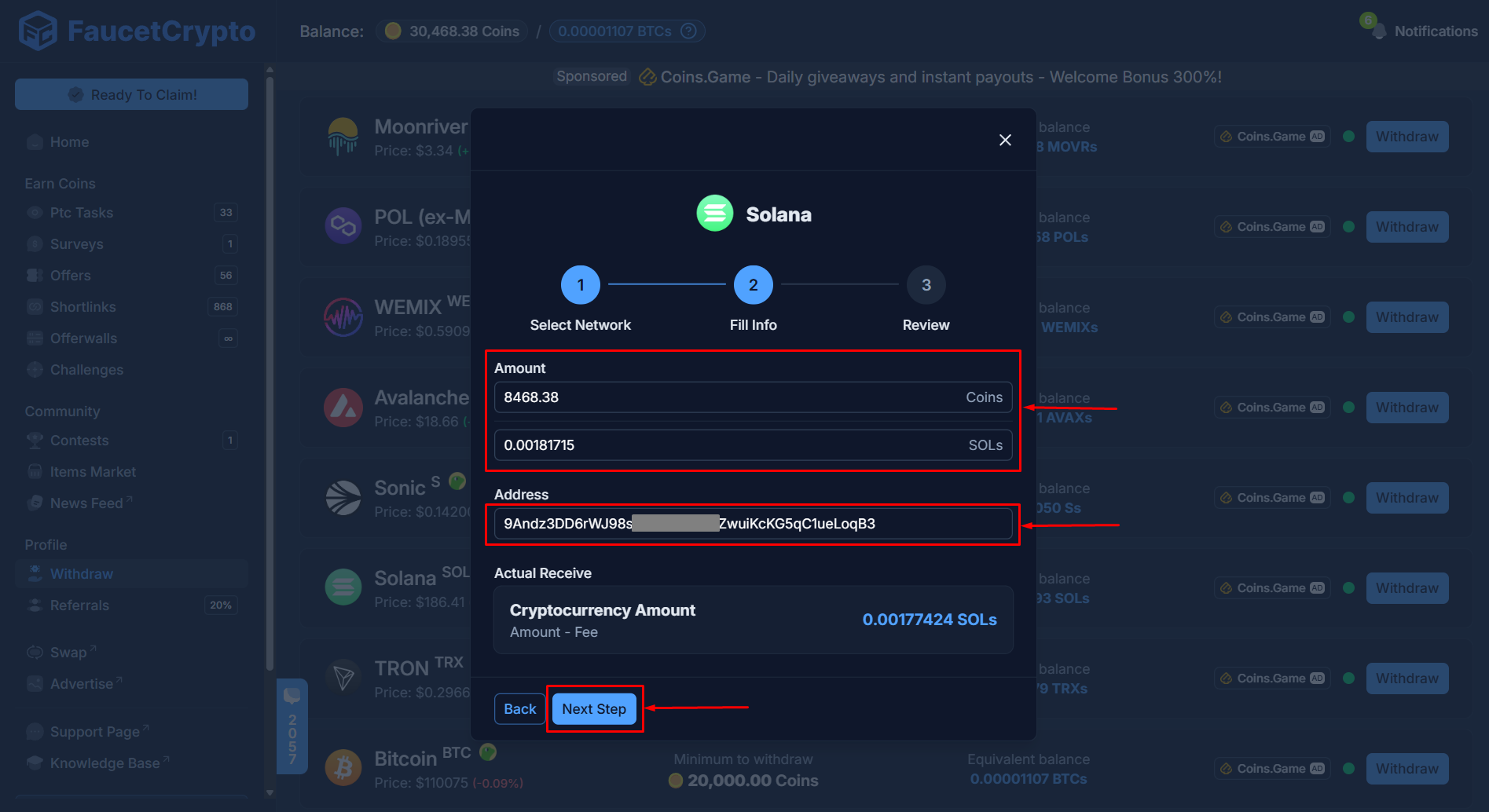
 * **Step II**: **Fill Info** — Fill in the amount of Coins you want to withdraw. Paste **your wallet address** into the designated box and click on "***Next Step***"
 * **Step III**: **Review Withdraw** — Review all the details. Read the instructions & warnings carefully. After reading, flip the switch to confirm your wallet address is correct and you had confirmed the minimum amount of cryptocurrency which can be deposited in it. Then click "***Submit Withdrawal***"
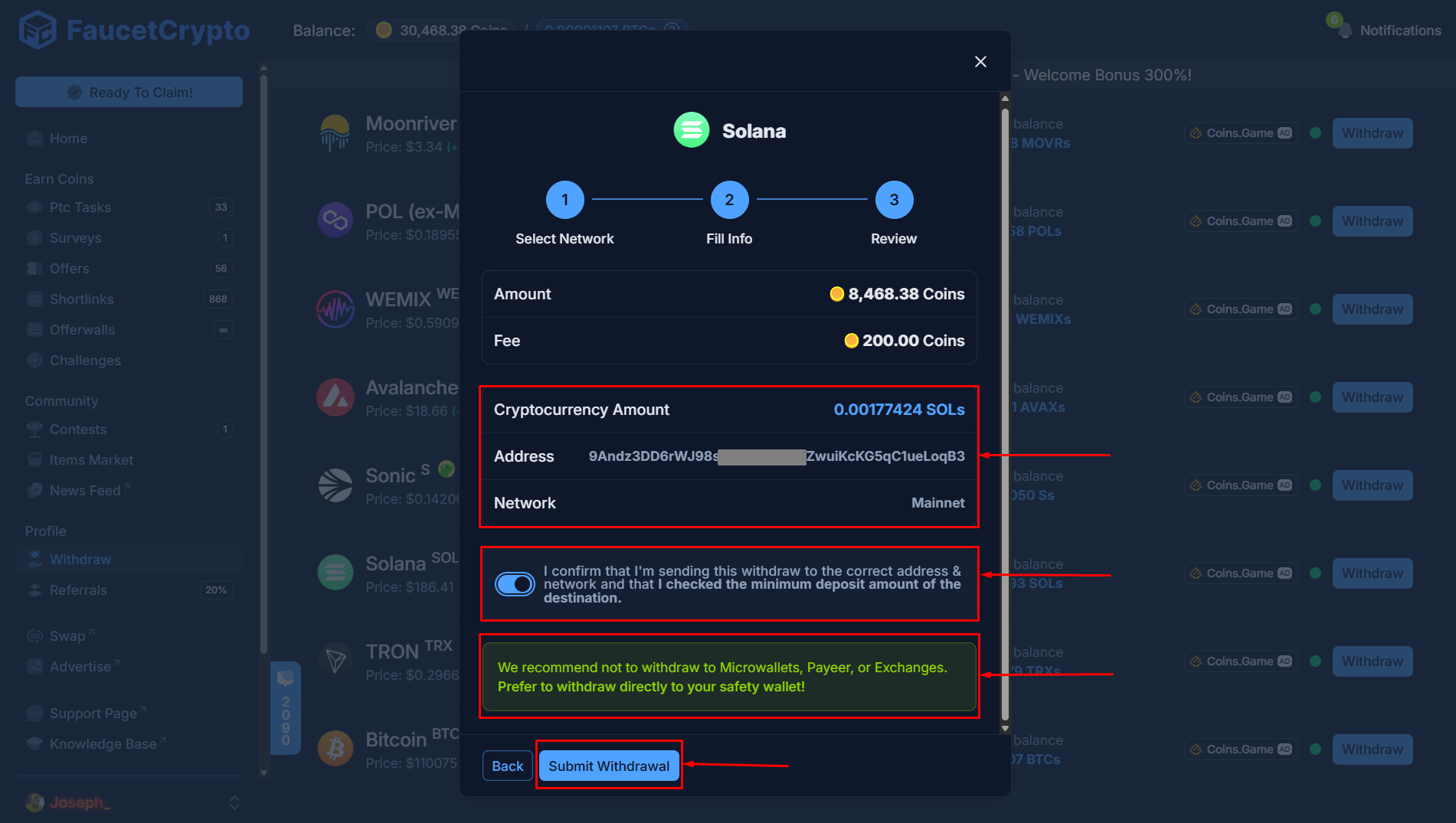 You would receive an email to confirm the withdrawal. Check your email Inbox, Spam or Bin to find it
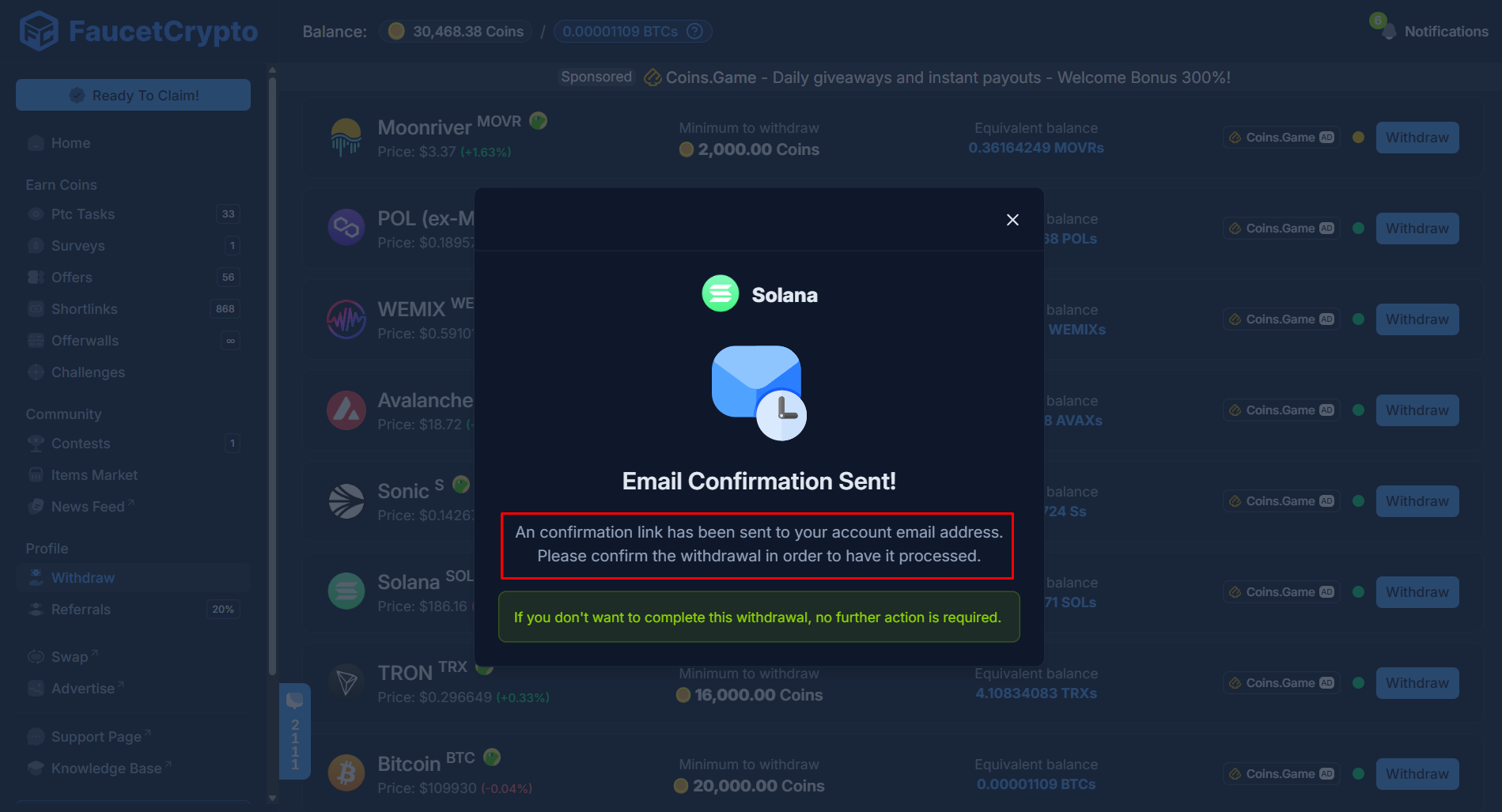 Click the "Confirm Withdrawal" button within the email you received to finally submit the withdrawal to our internal system for Processing
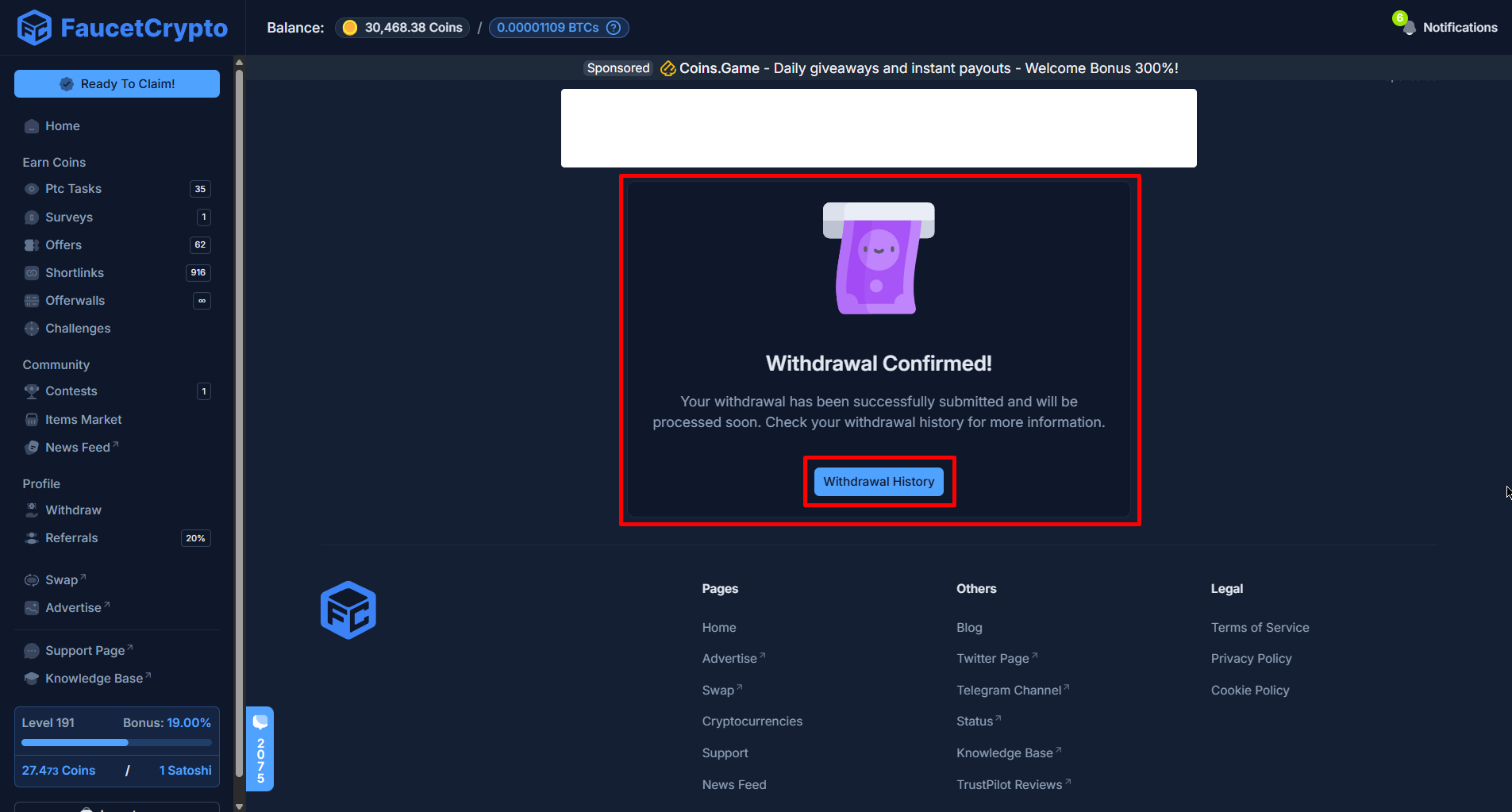
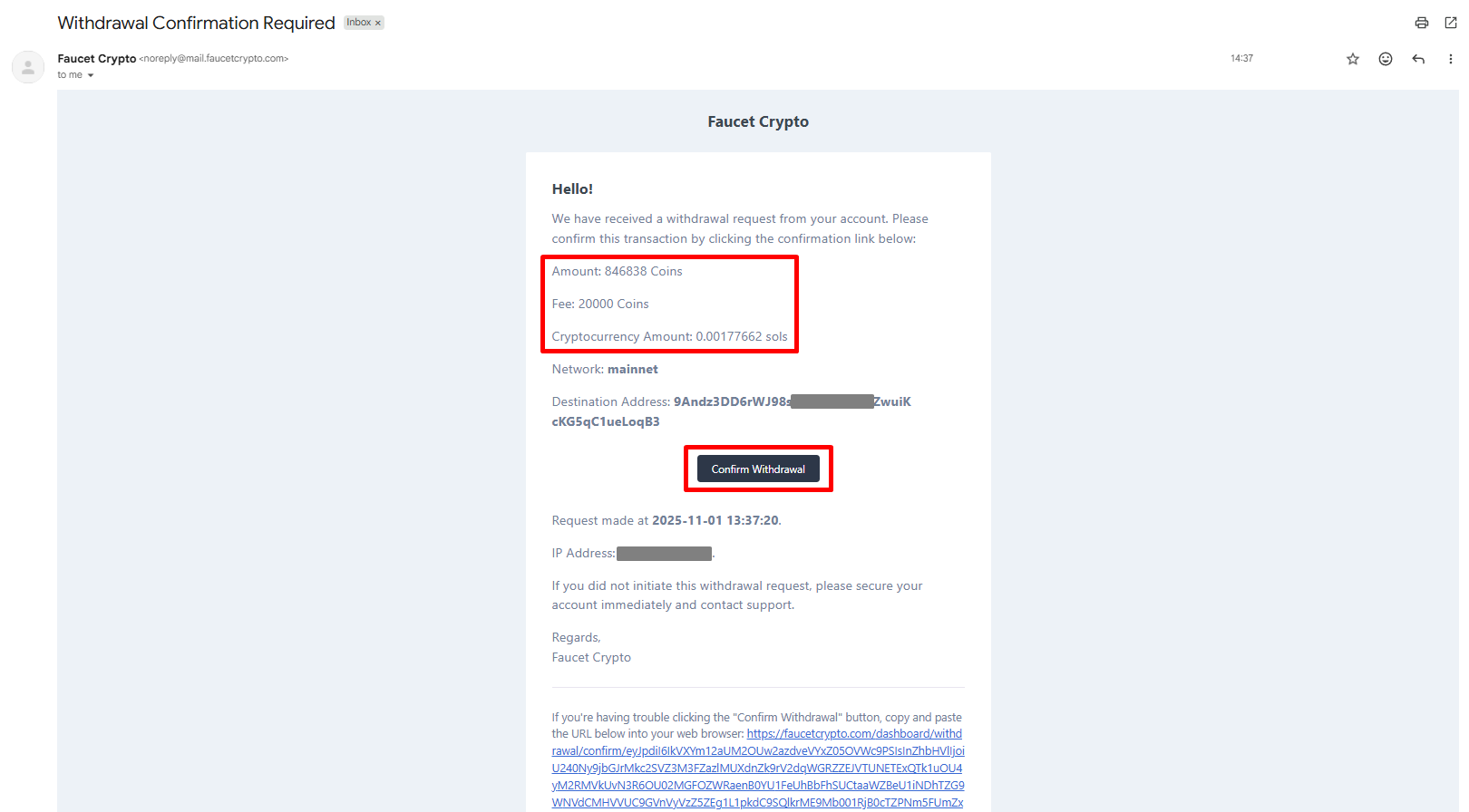 Congratulations! Your withdrawal was successfully submitted for Processing and would be on the way to your wallet address in no time. You may click the "Withdrawal History" button shown to view details of the withdrawal alongside others.
 **Note:**
* *Pay attention to the dotted colour for each cryptocurrency on the withdrawal page, as each colour signifies availability of balances to withdraw:*
🟢 - *The balance is filled. You can withdraw*
🟡 - *Balance is filled but very low. You may withdraw*
🔴 - *Balance is empty. Please wait for it to get refilled*
* *It is very important that you confirm your wallet address is correct before clicking the "Submit withdraw" button. Once clicked, the transaction cannot be canceled*
***
# What is the minimum withdrawal amount?
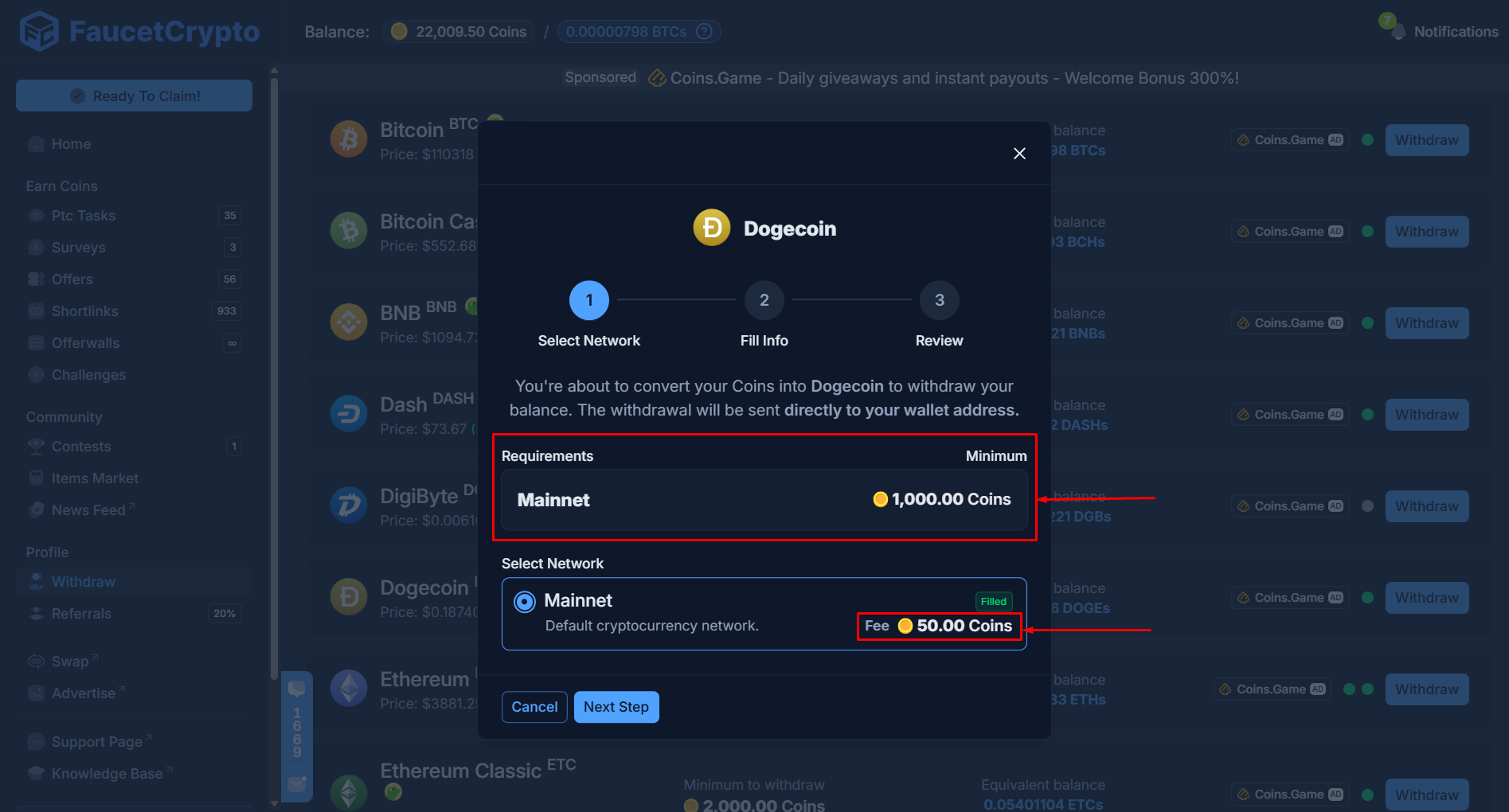
The minimum amount to request a withdrawal is **1000 Coins** for most of the cryptocurrencies supported, but there may be slight variations for some cryptocurrencies available eg. ****Bitcoin, Polygon, Tron**** all requires a little bit more.
The amount of coins you withdraw will be converted into your selected cryptocurrency upon requesting a withdrawal. You will also find more information on the withdrawal page of your selected cryptocurrency when carrying out the process.
***
# Are there withdrawal fees applicable?
Yes. There will be a withdrawal fee for every withdrawal you initiate. However, the fees are highly negligible (practically free!). The withdrawal fee is **50 Coins** for most cryptocurrencies supported.
For ***Bitcoin (BTC)***, ***Tron (TRX)***, ****Polygon (MATIC)****, ***Binance Smart Chain (BSC)***, and ***Ethereum Classic (ETC)***, the fee could be higher... but not much. This fee amount will be **deducted** from your total withdrawn amount, and the remaining balance will be sent to your wallet address as your withdrawal.
All the respective information (ie. minimum withdrawal amount, applicable withdrawal fee and how much crypto you'll receive) will be shown on the withdrawal page and on the 1st step (like in the image below) right before you initiate the withdrawal process.
**Note:**
* *Pay attention to the dotted colour for each cryptocurrency on the withdrawal page, as each colour signifies availability of balances to withdraw:*
🟢 - *The balance is filled. You can withdraw*
🟡 - *Balance is filled but very low. You may withdraw*
🔴 - *Balance is empty. Please wait for it to get refilled*
* *It is very important that you confirm your wallet address is correct before clicking the "Submit withdraw" button. Once clicked, the transaction cannot be canceled*
***
# What is the minimum withdrawal amount?
The minimum amount to request a withdrawal is **1000 Coins** for most of the cryptocurrencies supported, but there may be slight variations for some cryptocurrencies available eg. ****Bitcoin, Polygon, Tron**** all requires a little bit more.
The amount of coins you withdraw will be converted into your selected cryptocurrency upon requesting a withdrawal. You will also find more information on the withdrawal page of your selected cryptocurrency when carrying out the process.
***
# Are there withdrawal fees applicable?
Yes. There will be a withdrawal fee for every withdrawal you initiate. However, the fees are highly negligible (practically free!). The withdrawal fee is **50 Coins** for most cryptocurrencies supported.
For ***Bitcoin (BTC)***, ***Tron (TRX)***, ****Polygon (MATIC)****, ***Binance Smart Chain (BSC)***, and ***Ethereum Classic (ETC)***, the fee could be higher... but not much. This fee amount will be **deducted** from your total withdrawn amount, and the remaining balance will be sent to your wallet address as your withdrawal.
All the respective information (ie. minimum withdrawal amount, applicable withdrawal fee and how much crypto you'll receive) will be shown on the withdrawal page and on the 1st step (like in the image below) right before you initiate the withdrawal process.
 **Note:** *These values may be subject to changes in future and without prior notice. Reaching your daily withdraw limit before requesting a withdrawal will save you on withdrawal fees*